How to Change Route Names on Badger Maps? (Web App)
There are different reasons why you might want to rename your routes. It might be because you want to organize them better, or you just want to give it a name that’s easier to remember. Whatever reasons you may have, Badger allows you to change your routes’ names, and the steps are really easy. Here’s how:
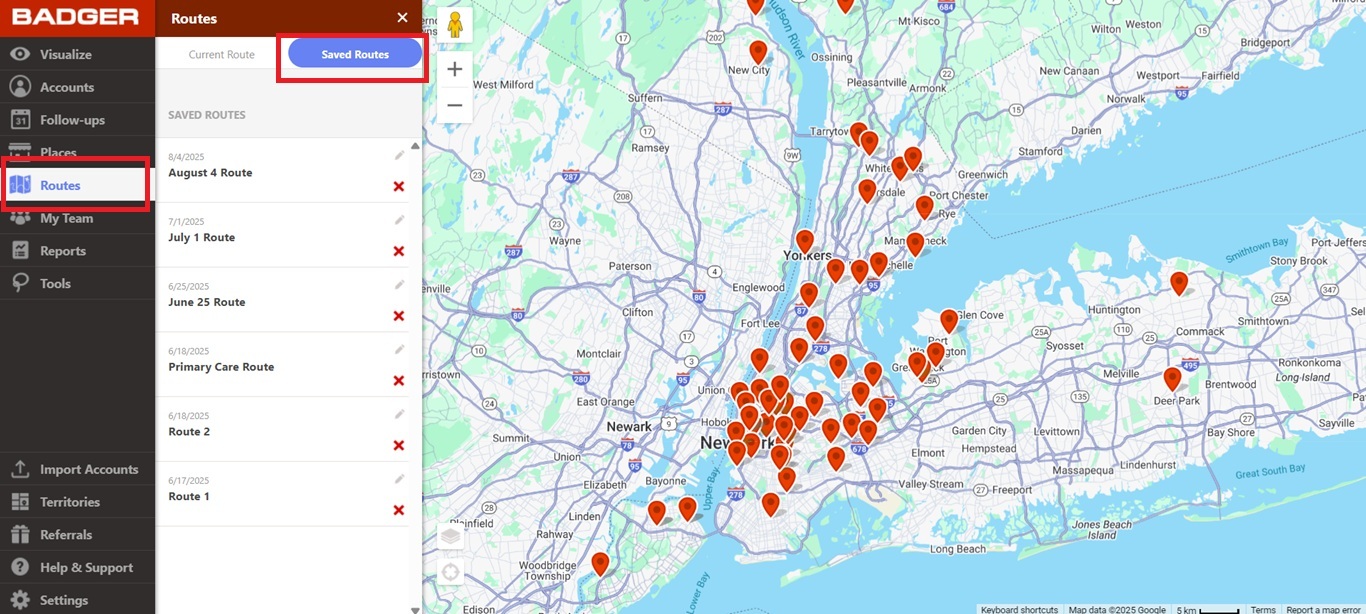
1. Go to Routes, and click Saved Routes.
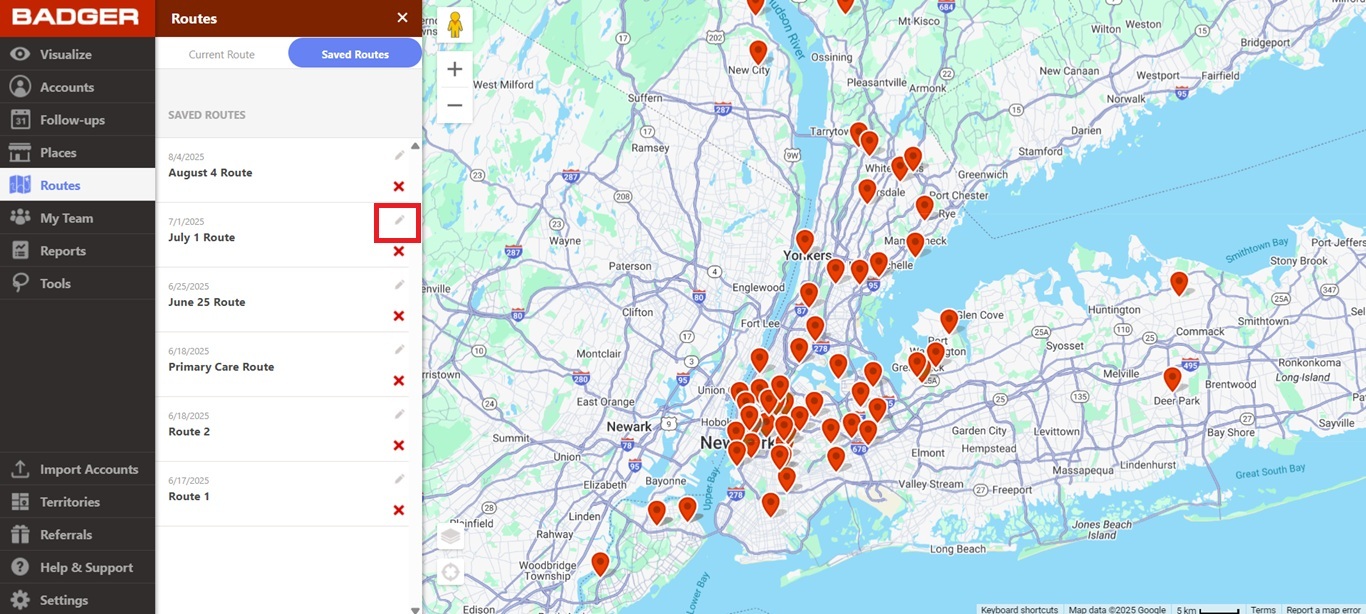
2. Click the pencil icon at the right side of the route that you wish to rename.
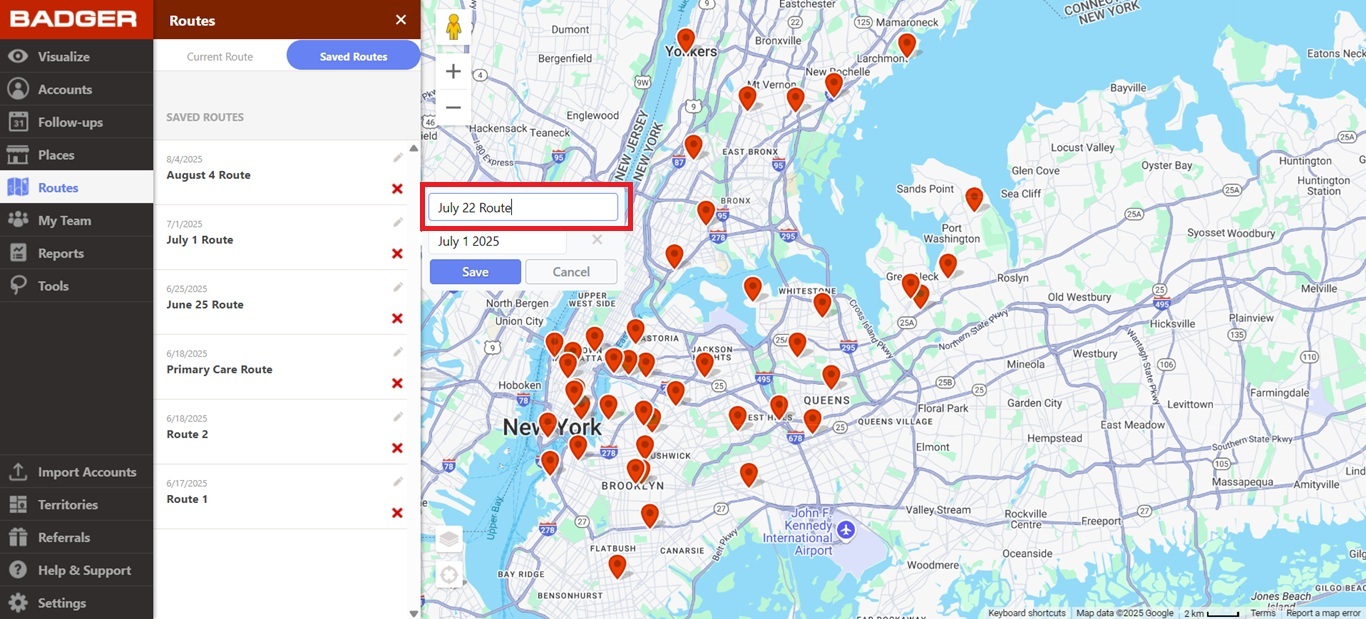
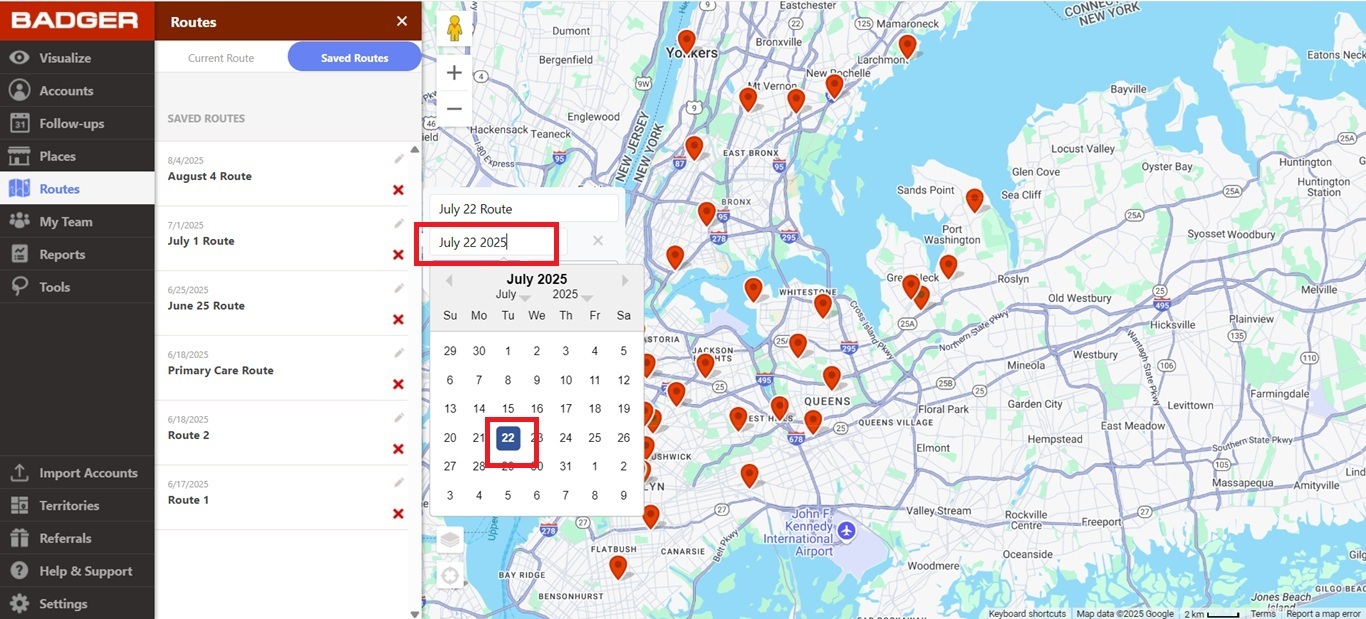
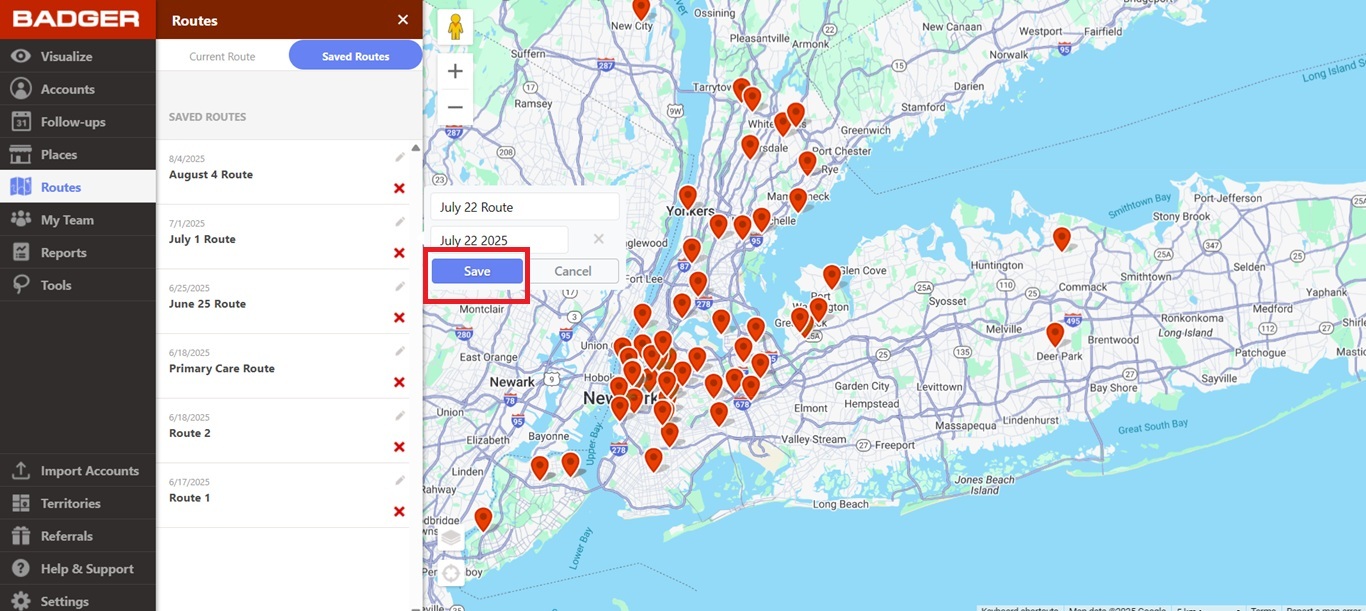
3. Type the new route name, click the date below the route name to select a new date if you’d like, and hit Save.
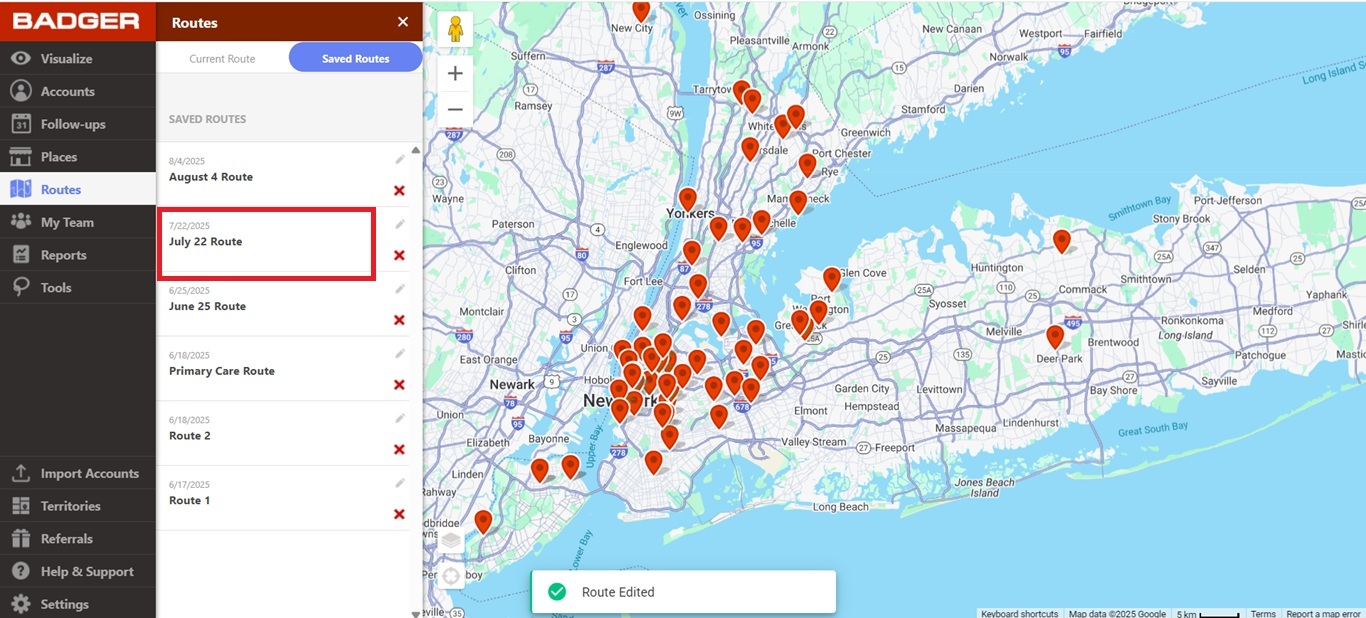
That’s it! Your route now has a new name.


