How to Delete an Account in Badger Maps (iPhone)
This article is for Badger Maps Standard.
Read this for Badger Maps Advanced | Not sure which version you have?
Badger Maps makes it easy to delete accounts from the convenience of your iPhone. Continue reading to find out how it’s done.
1. First, select the account that you want to delete. You can either tap on the pin, and click the account name at the bottom.

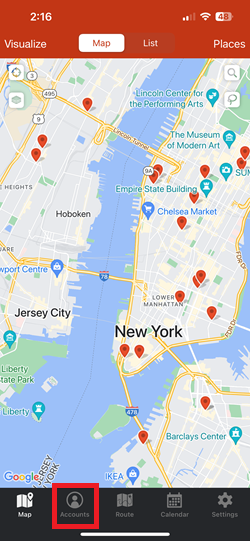
2. Or, go to Accounts and select the account that you’d like to remove.


4. Confirm by selecting Delete on the message that will pop-up, and you’re all set.


