How to Delete an Account in Badger Maps (Web App)
Deleting an account from your computer is easy. Follow these steps to learn how.
Note: If you’re part of a team, this option may be disabled by your manager.
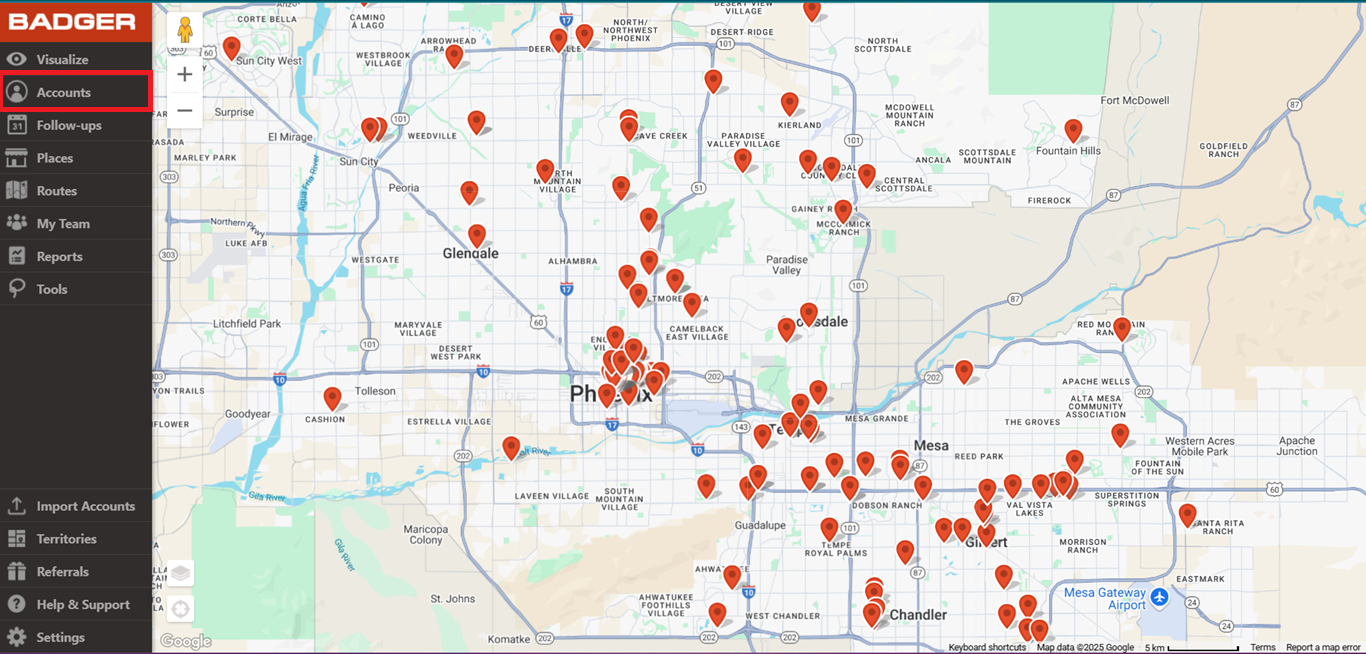
1. Log in to the Badger Maps web app, and go to Accounts.
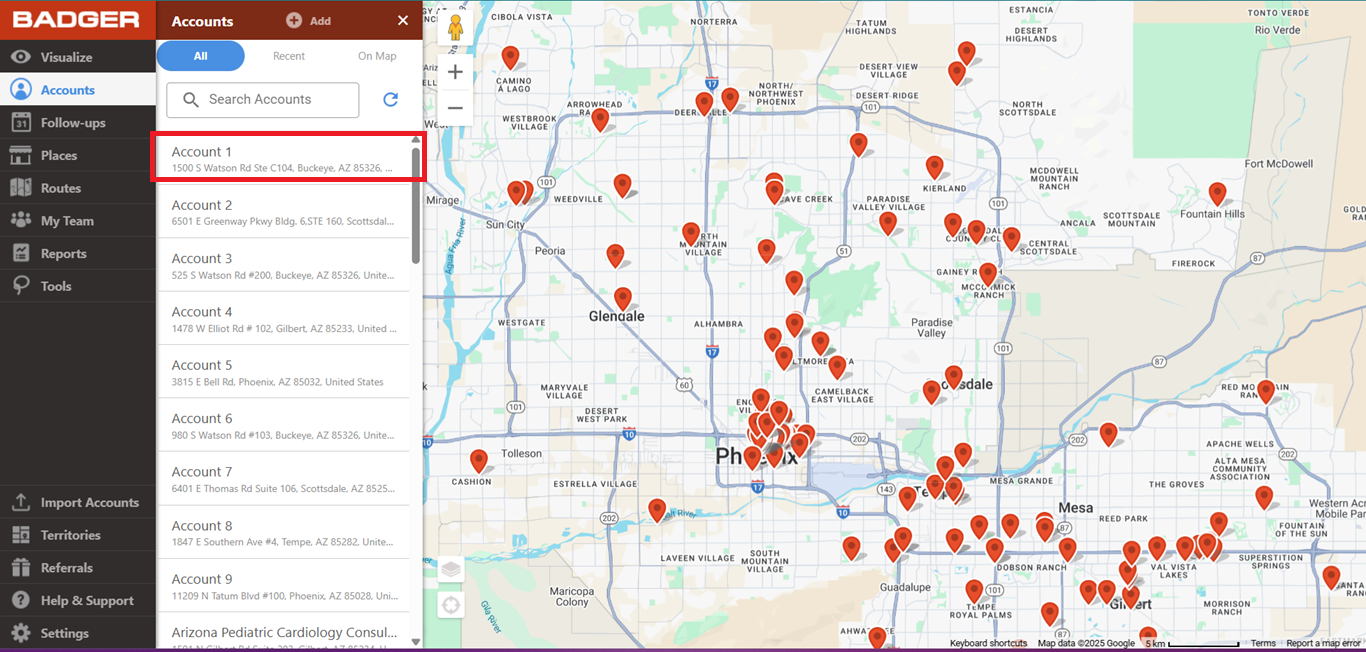
2. Select the account that you want to delete from the list.
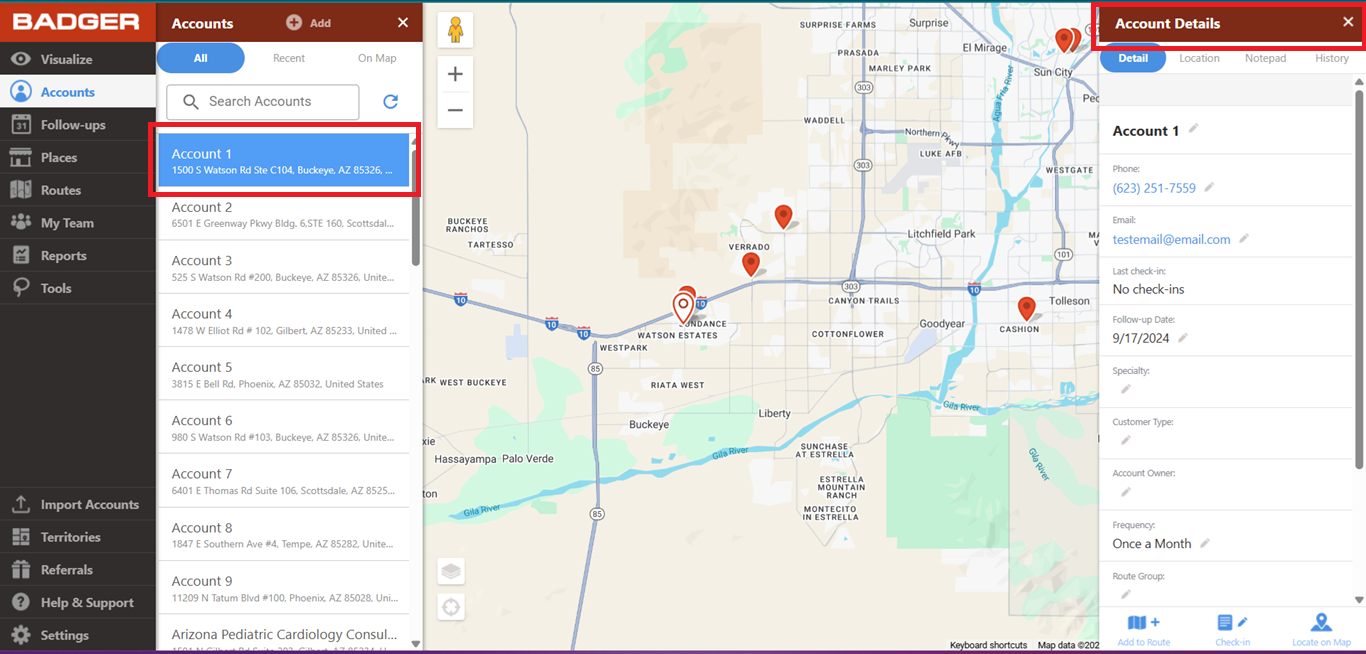
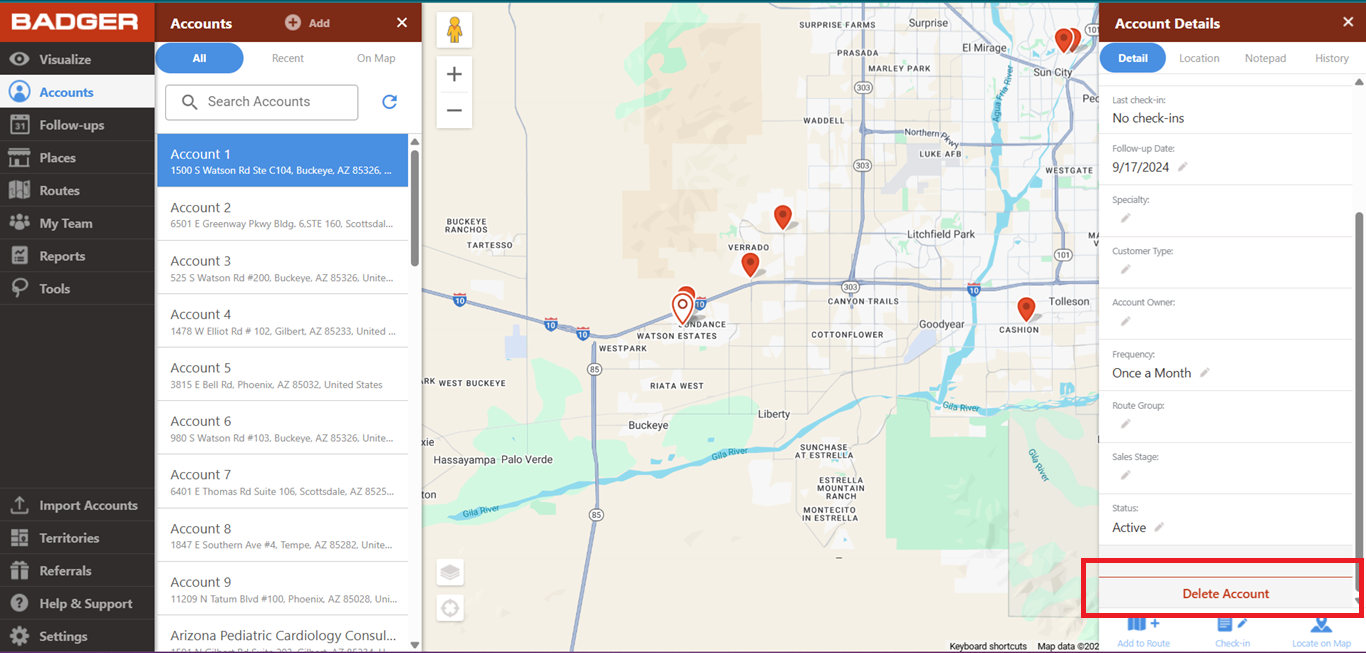
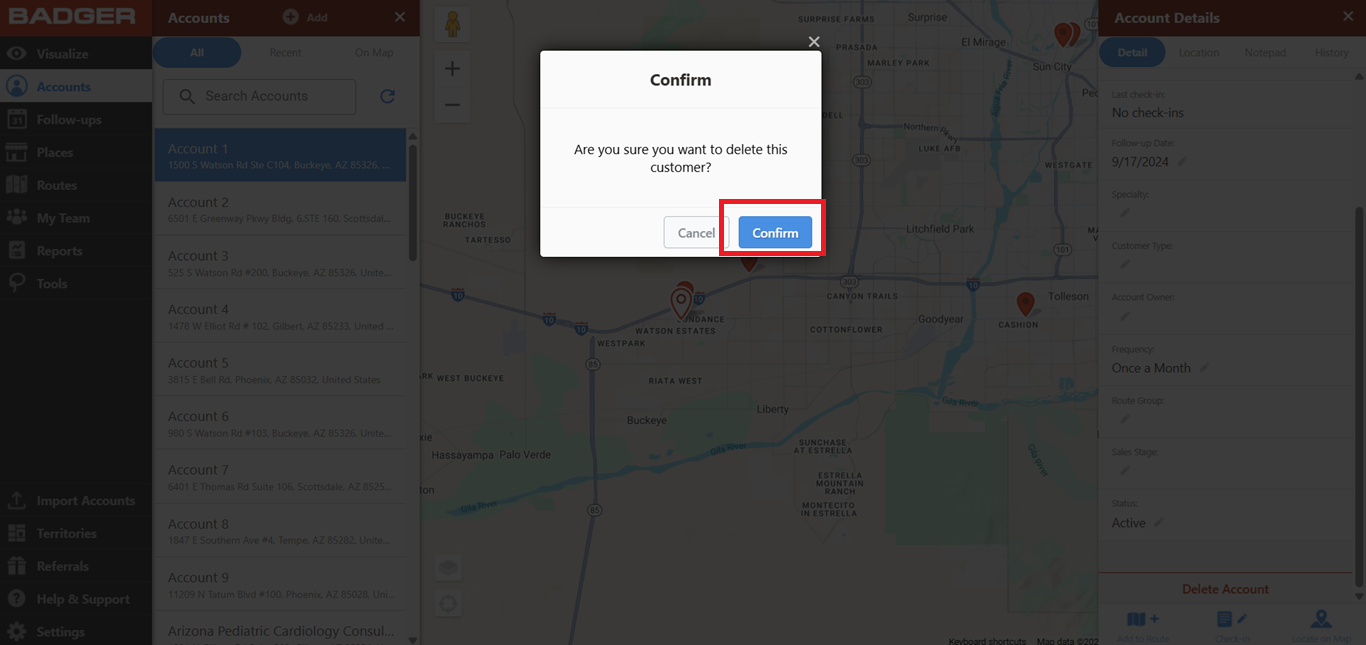
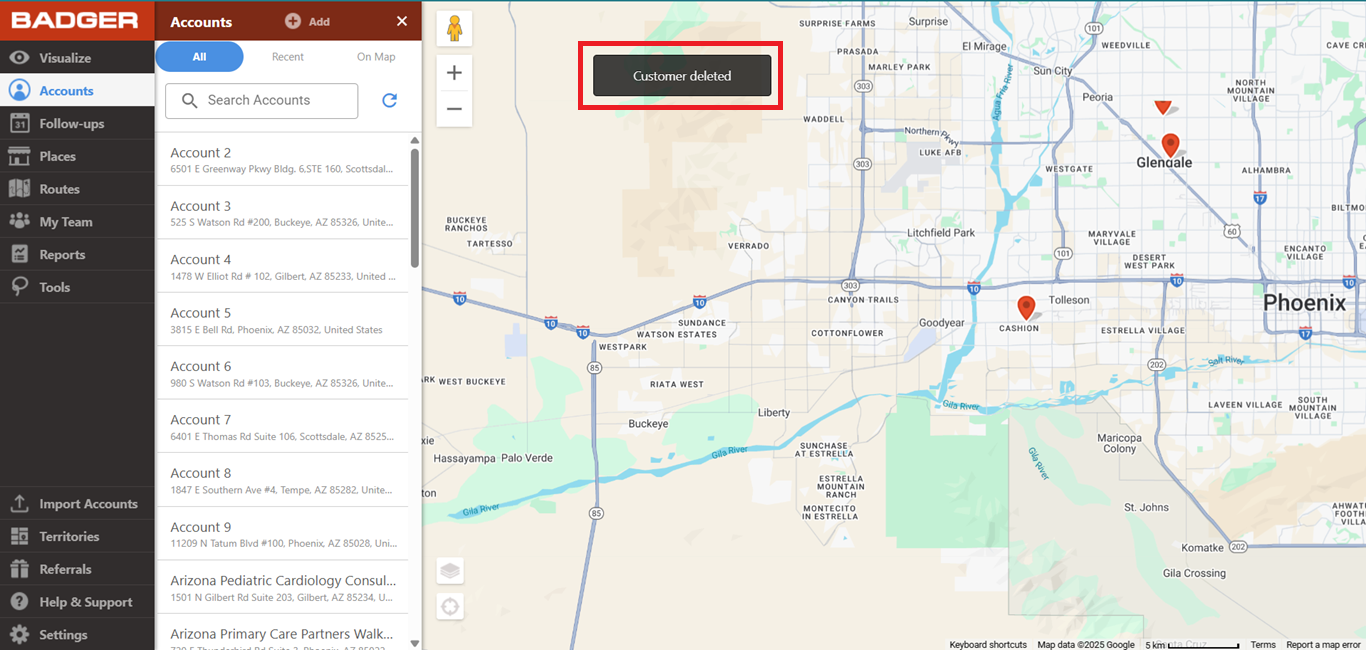
3. Once you clicked the account, the app will open up the Account Details section on the right side of the screen. Click Delete Account then Confirm, and a Customer deleted message will pop up.
That's all! The account is now deleted. Click here if you want to learn how to remove multiple accounts all at once.


