How to Update Your Credit Card Information
Updating your payment information with Badger is pretty easy. Here are a couple ways of making changes on your information.
If you need to update your card information because your card’s expired or compromised, here’s what you need to do:
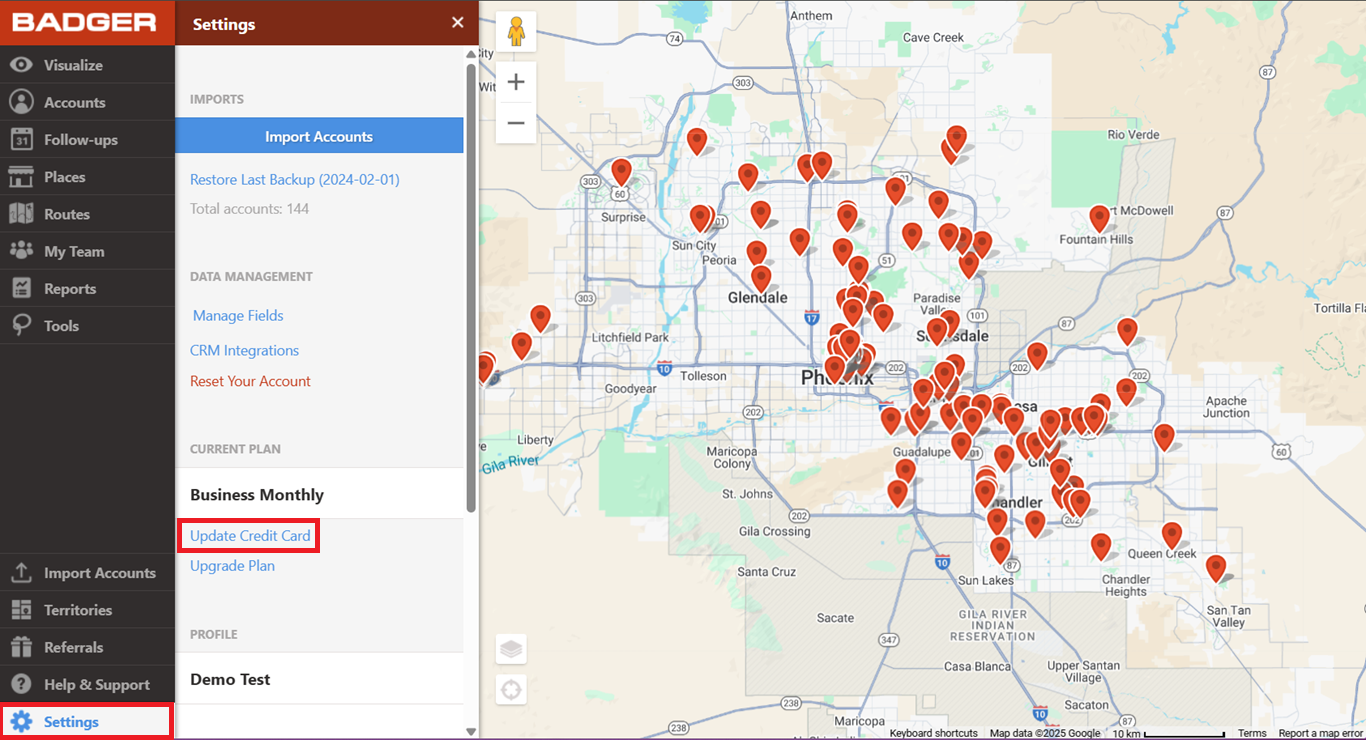
1. Log in to the Badger Maps web app, go to Settings, and click Update Credit Card.
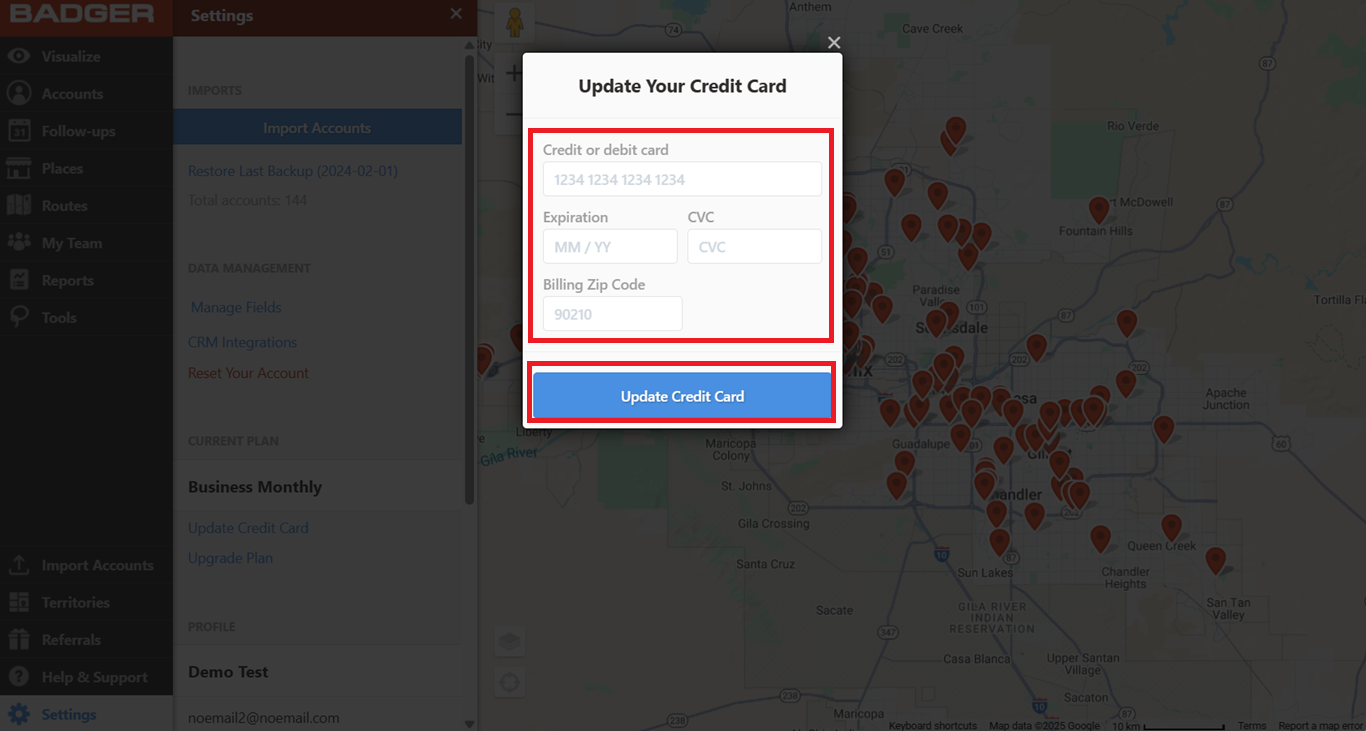
2. Enter your new card details, click the blue Update Credit Card bar, and you’re all set.
Now, here's what you have to follow if the app locked you out and you’re asked to update your payment information.
1. Log in to the Badger Maps web app, and it will automatically direct you to the payment page. Fill out the needed info, click Update Credit Card, and you’re good to go.

That’s it! Those are the methods on how you can update your credit card information.


