How to Check Google Chrome Version (WebApp)
If you ever have trouble in Badger, clearing the cache can usually fix it. If that doesn't work, we might need to know which version of Google Chrome you have. Here's a quick guide on how to check:
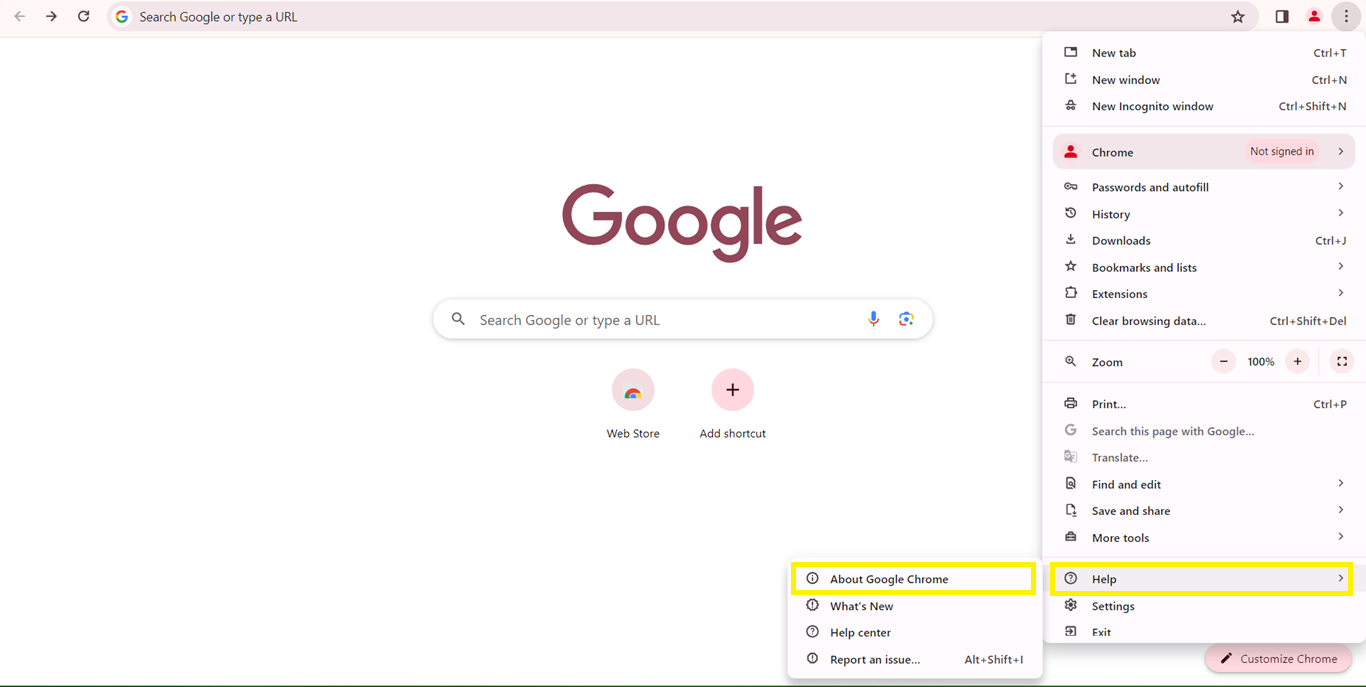
1. Open Chrome, and click on the three vertical dots in the upper right corner of the screen.

2. Scroll down and hover over the Help option, then select About Google Chrome. A new window will display information about your browser.

To make sure everything runs smoothly, it's always a good idea to keep your browser updated. Just click on Update Google Chrome (if you can't find this button, you're already up to date), then proceed with Relaunch, and refresh Badger.


