How to Delete an Account in Badger Maps (Android)
Deleting an account from your computer using your Android app is easy.
1. On the Badger Maps home page, click on Accounts, and choose the account that you want to delete.

2. You will be taken to the Details page. Just scroll to the bottom until you see Delete Account.
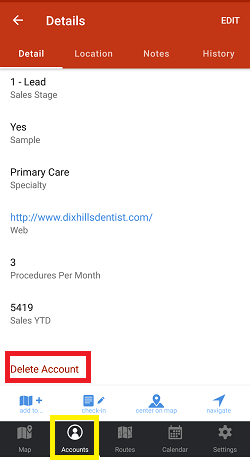
3. Click Delete Account, and tap Yes on the pop-up message to confirm.


