How to Manually Update Your iPhone Apps
Sometimes your apps are not functioning properly. One thing that you can do to resolve it is to update them to their latest version. Read below to find out how you can do that.
1. Open up the App Store, and tap the profile icon.
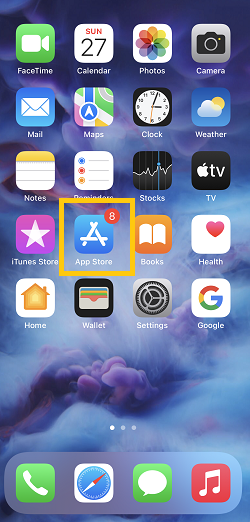

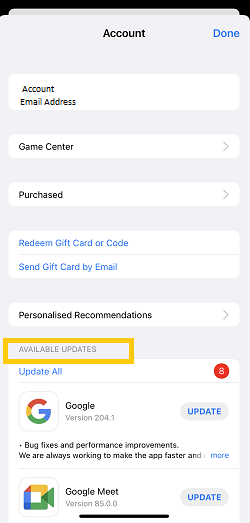
2. Look for Available Updates.
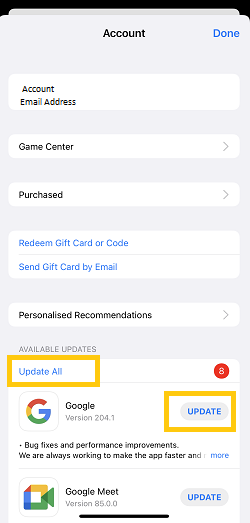
3. Choose Update All if you want to update all the apps on the list, or tap Update beside the specific app that you’d want to update.
And that’s it. Pretty easy right? Check this out if you’re curious how you can set you phone to update your apps automatically.


