How to Remove a Stop from Your Route (Web App)
Do you find yourself wanting to remove some stops from your route? Go ahead and read on to learn how it’s done.
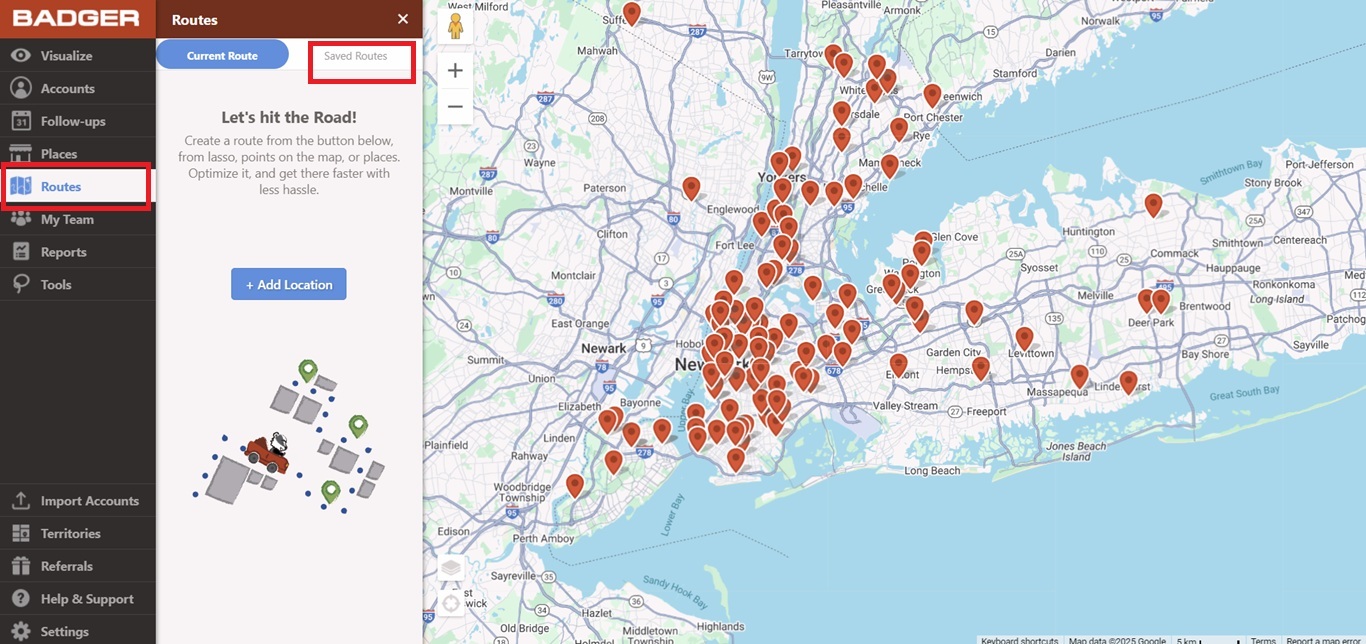
1. Go to Routes, and click Saved Routes.
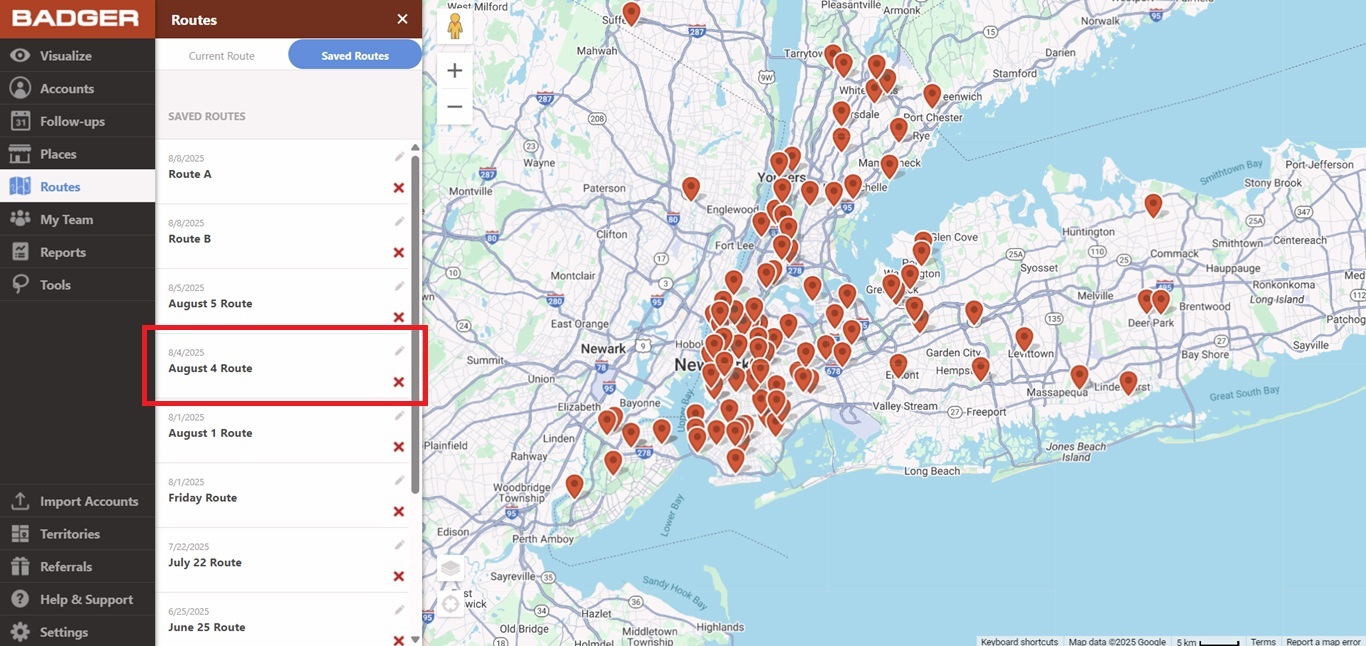
2. Click the route that you wish to edit.
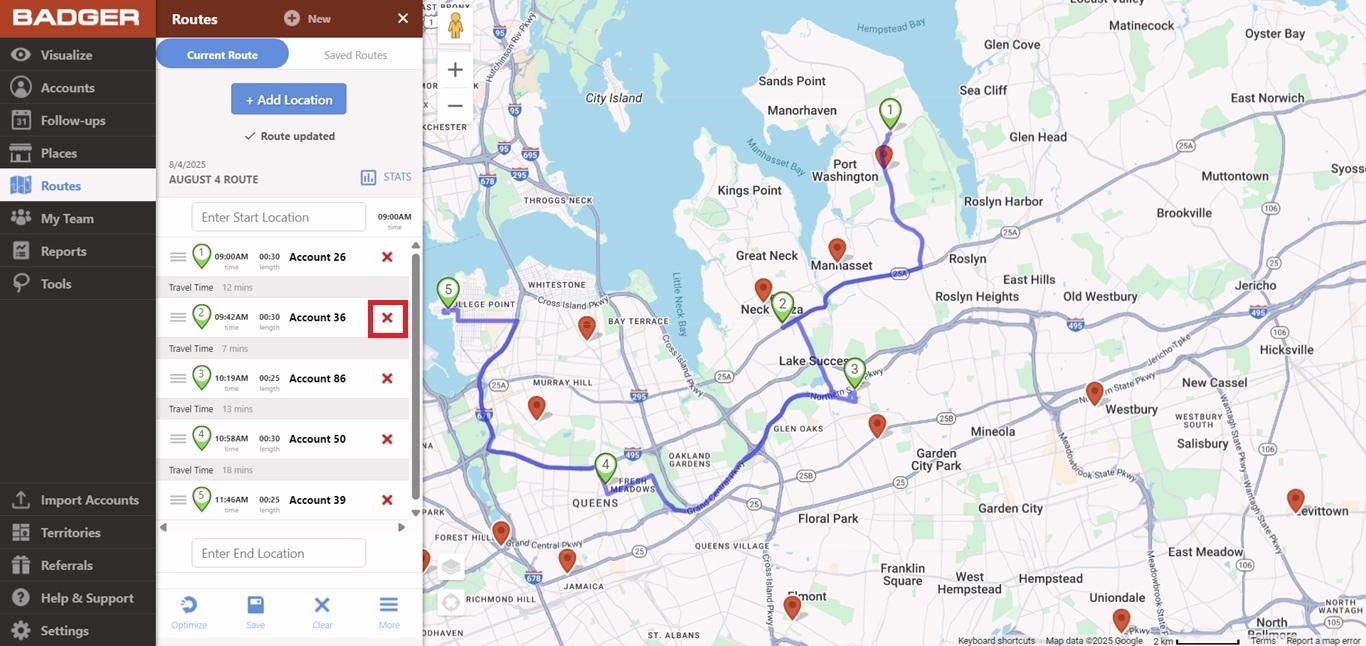
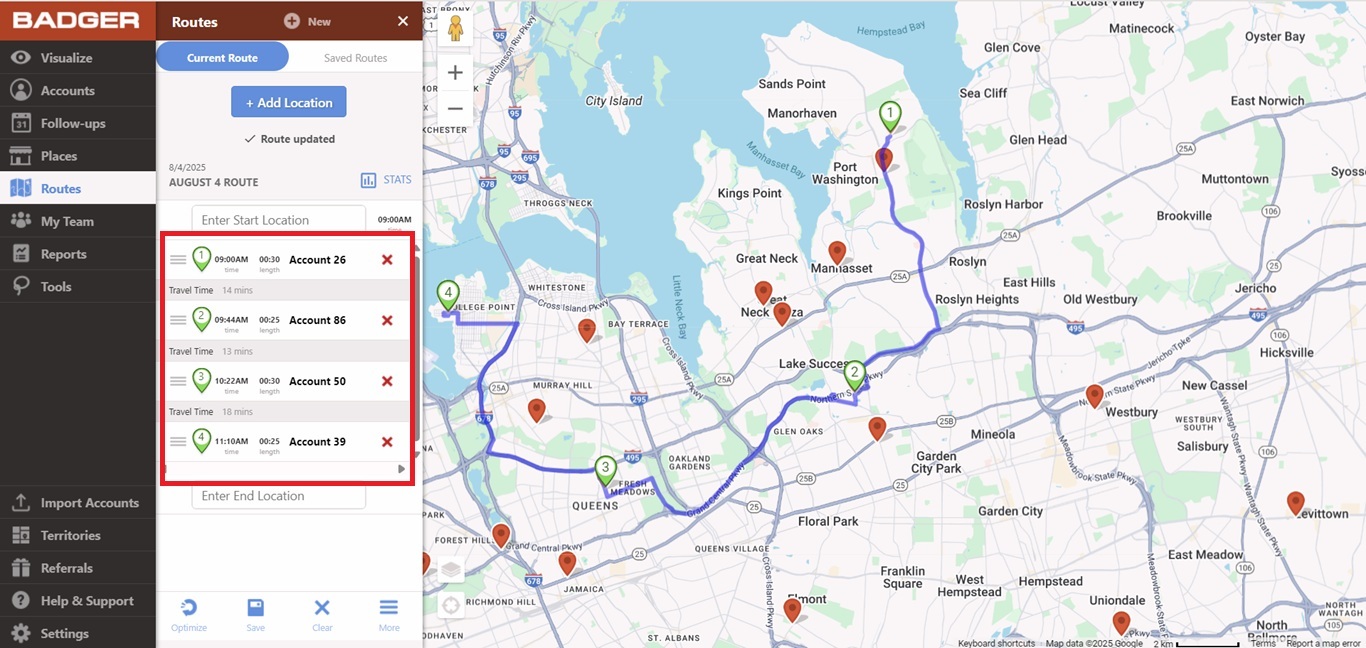
3. You’ll be taken to the Current Route page. Click on the red X icon beside the stop name/s that you want to remove, and you’re good to go.