How to Upgrade Your Subscription
Do you need to save more records, but you’ve reached your plan’s limit? Don’t worry, you can easily upgrade your Badger Maps subscription to have more room for new records. Here are the steps on how to do it:
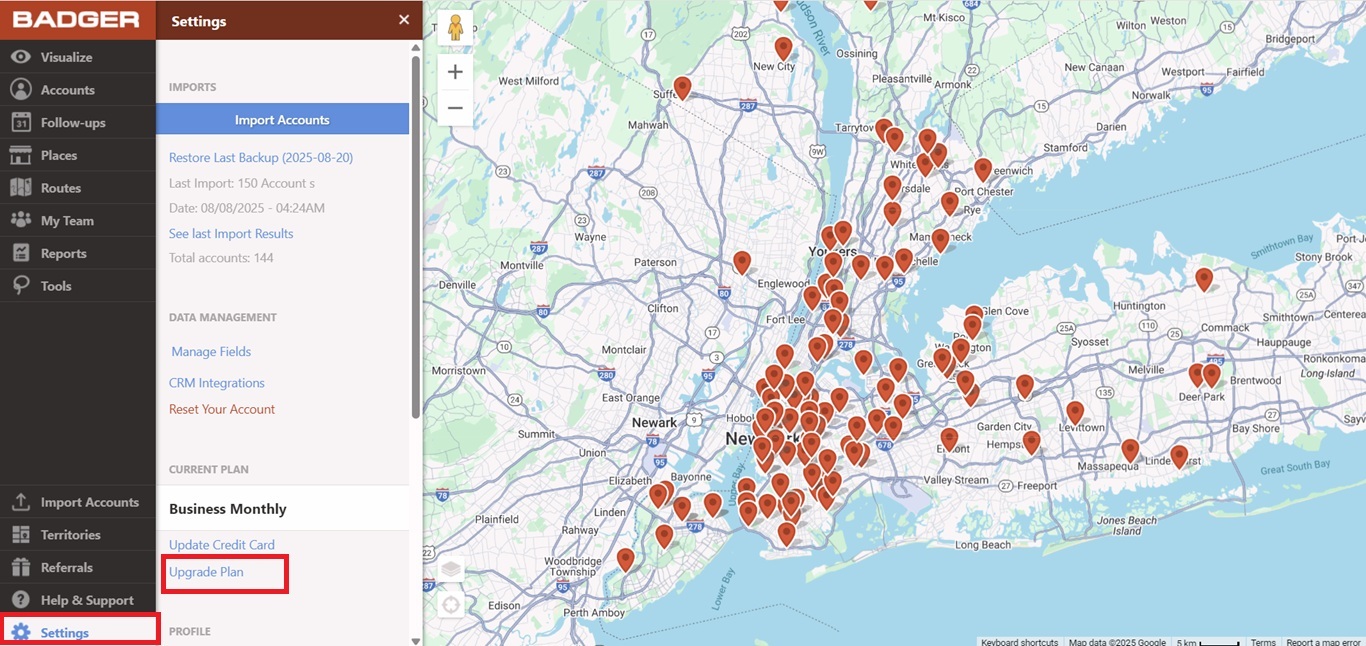
1. Log in to the Badger Maps web app, then go to Settings, and click Upgrade Plan.
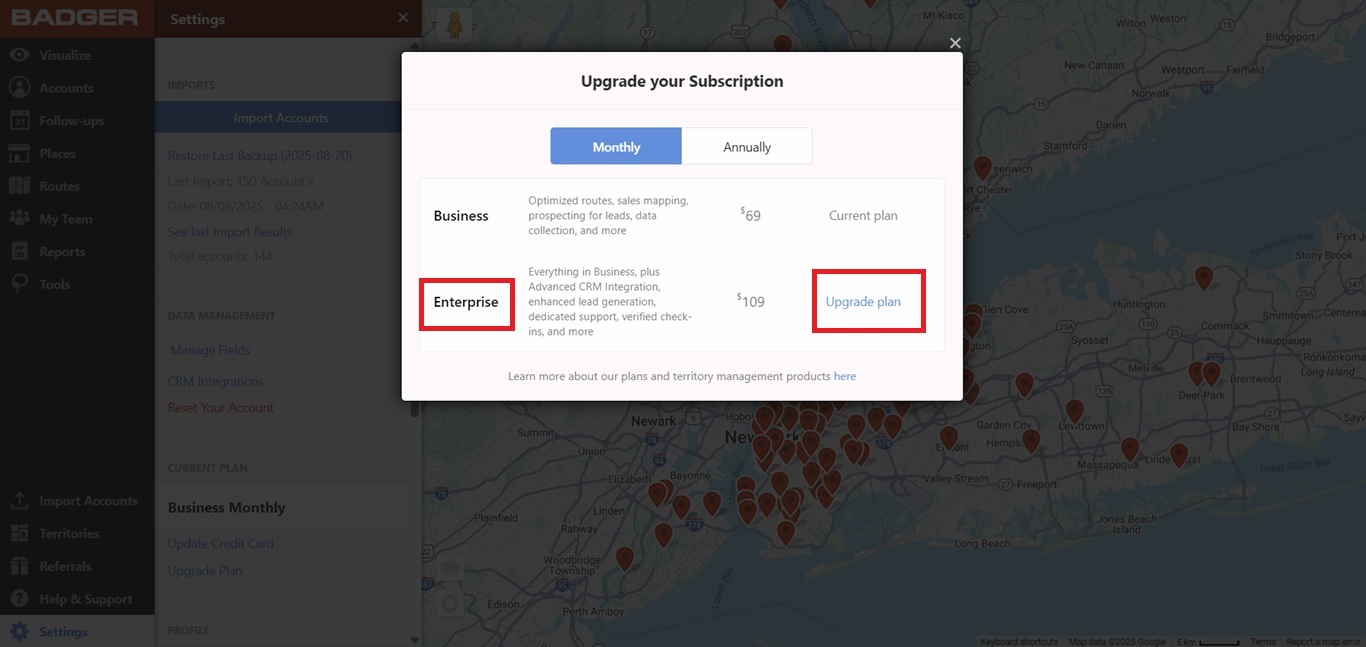
2. Select a new plan, and hit the Upgrade Plan link beside the new plan’s details.
3. A pop-up box will be shown, and it will tell you the new subscription plan that you’ve chosen and the new charge. Click Upgrade Plan to proceed.
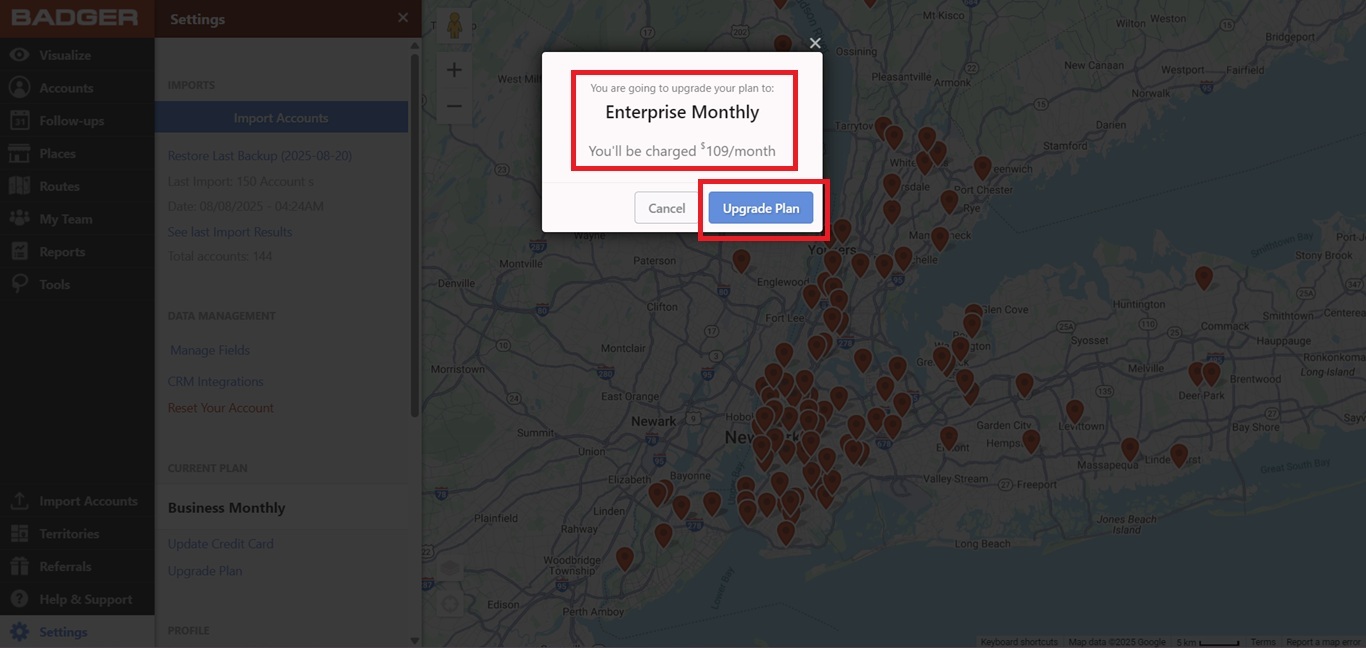
And that’s it! Your subscription plan is now upgraded. If you’re looking to add team members, check this out to learn how.


