How to Use Lasso to Assign Accounts (Web App)
Ever wanted to assign accounts to your reps in bulk? The Lasso tool allows you to assign multiple accounts to a sales rep at the same time.
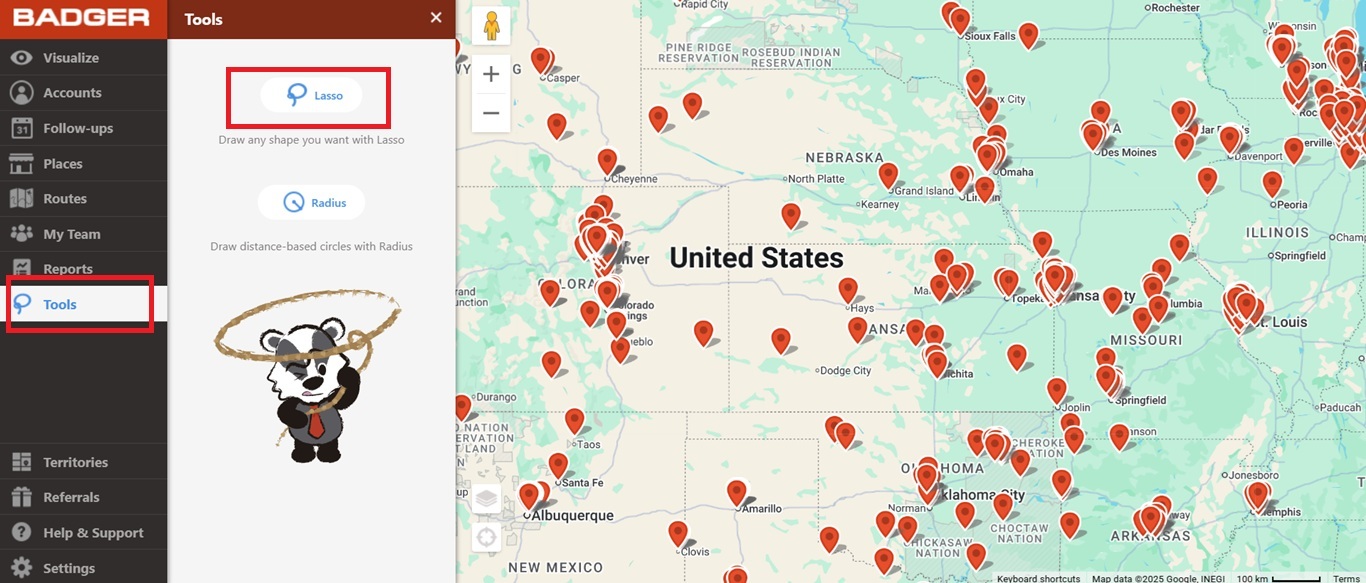
1. Go ahead and select Tools on the left hand menu, then click Lasso.
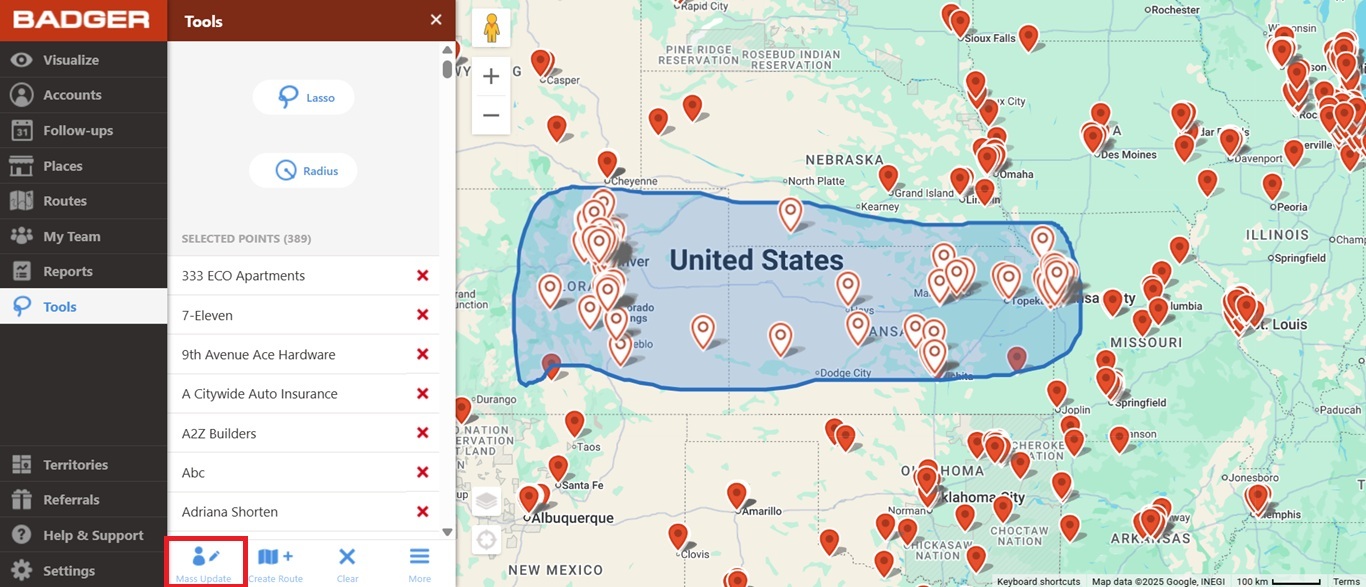
2. Draw around the account pins that you want to assign. Once selected, click Mass Update at the bottom of the Lasso pane.
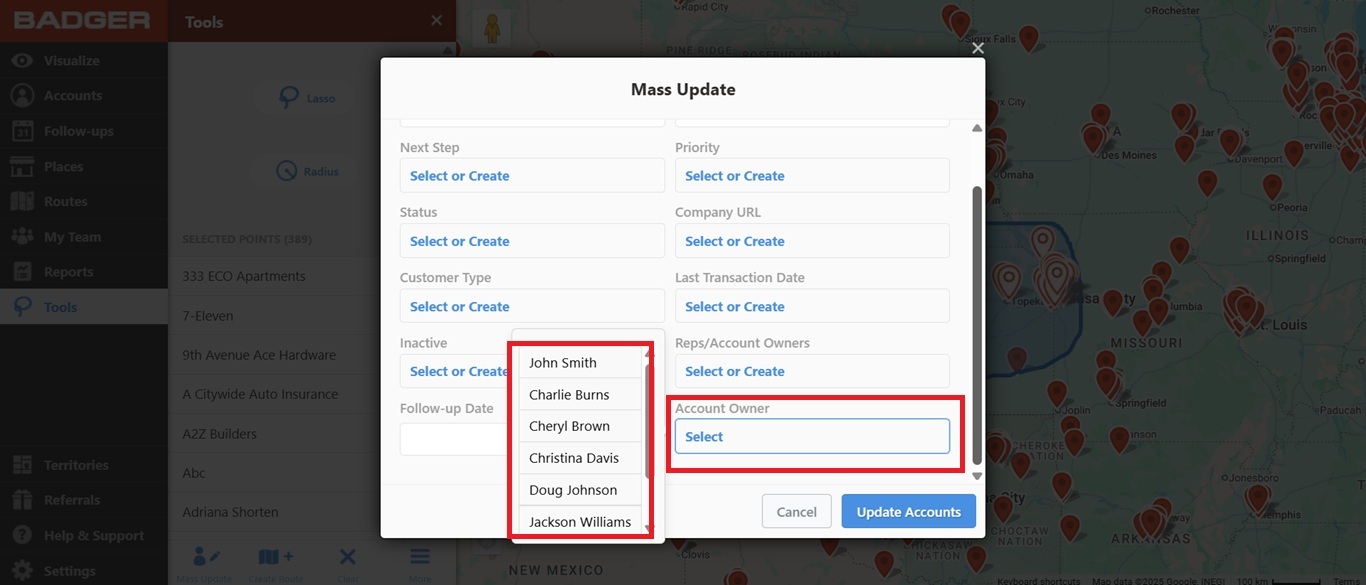
3. On the Mass Update screen, click Select under Account Owner field. This will allow you to assign accounts to members of your team.
4. Click Update Accounts and you're done.
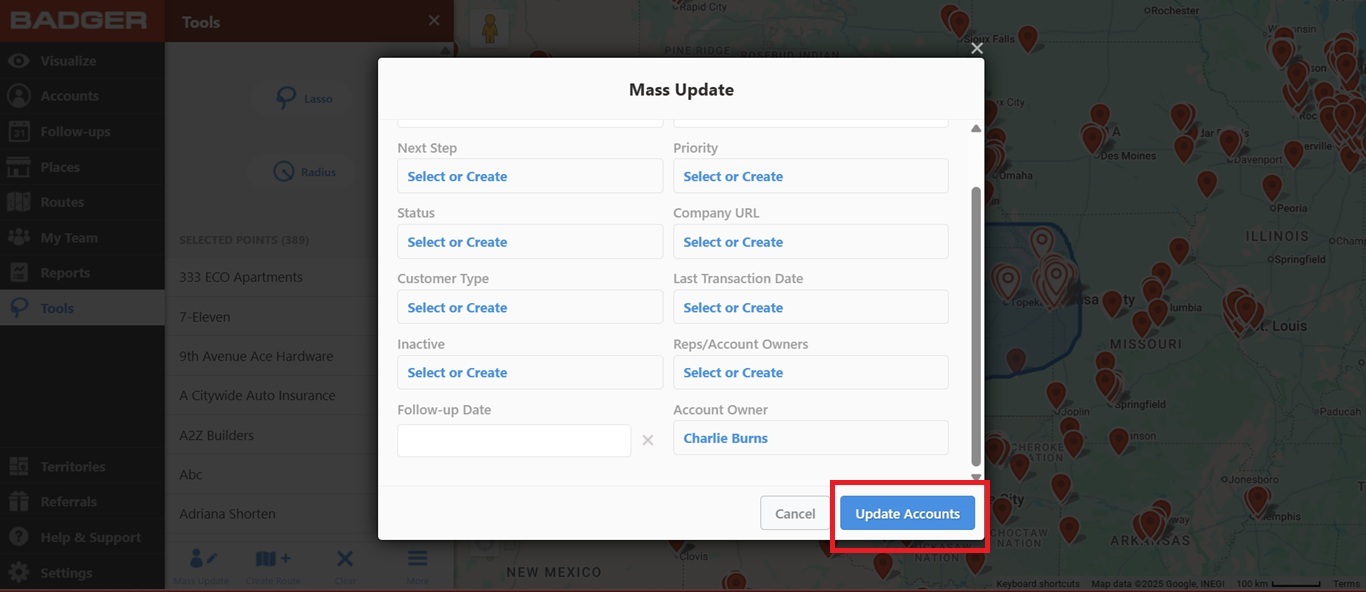
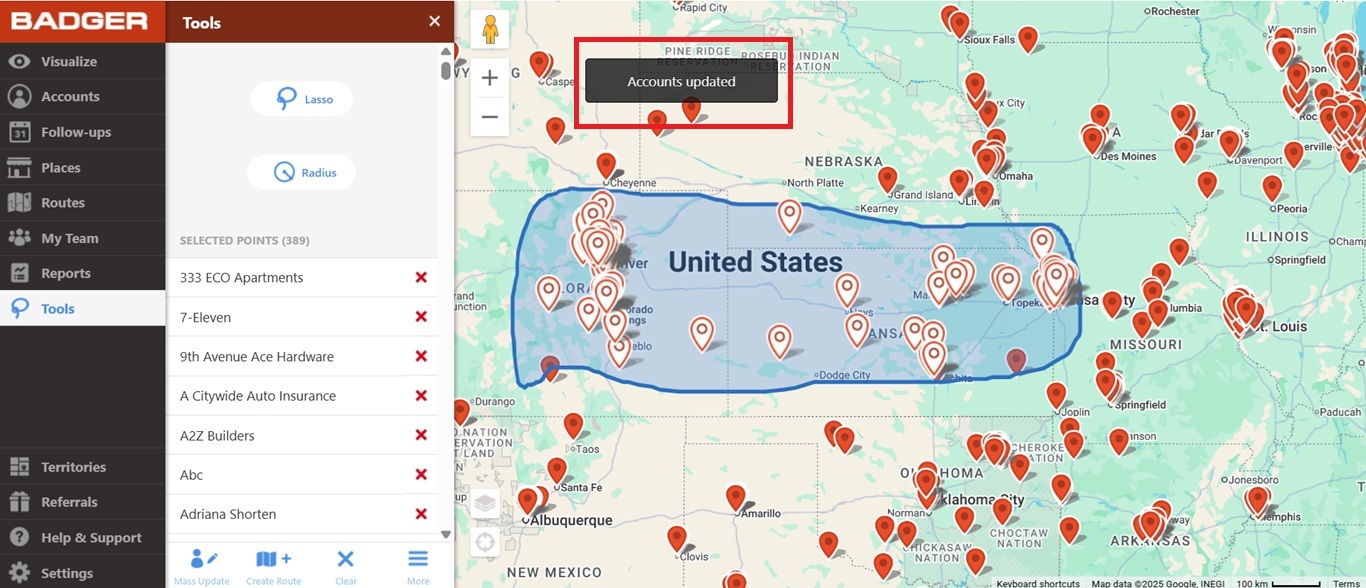
That's it! You now assigned new accounts to your team member.


