How to Use the Radius Tool
Aside from Lasso, Badger Maps has another amazing tool called the Radius tool. This helps you create routes and territories easier by drawing a circle around any point on the map with a defined radius. Continue reading to know how this is used.
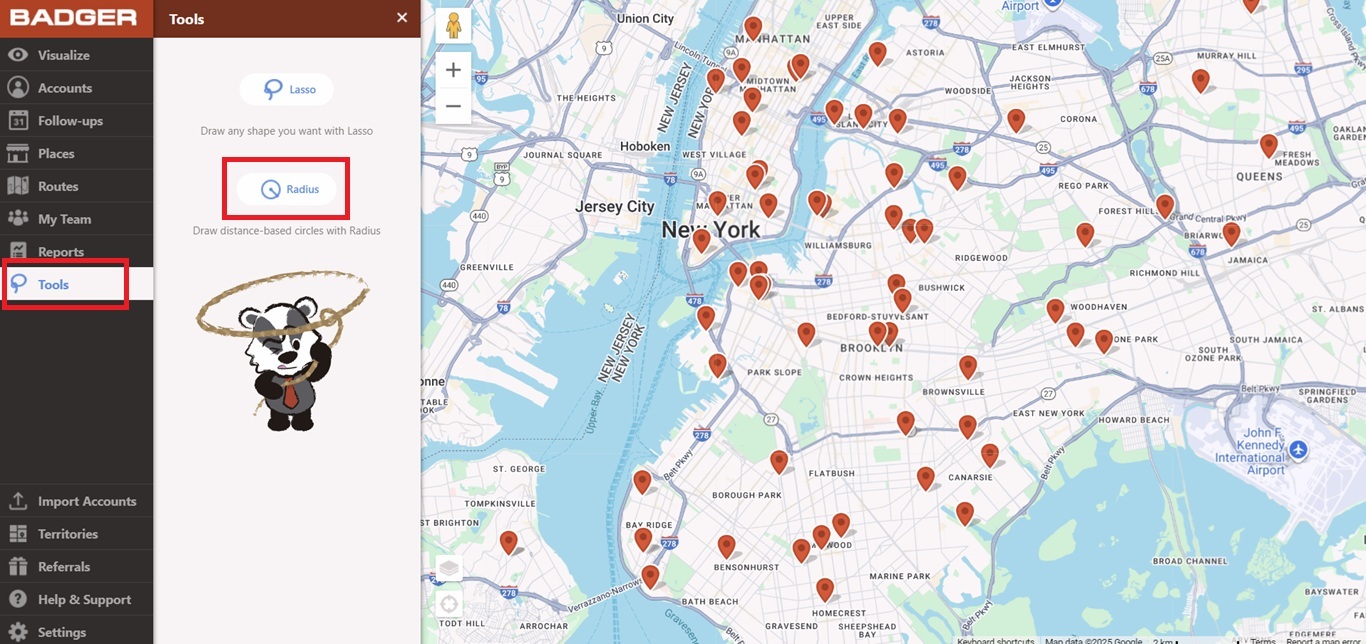
1. Go to Tools, and click Radius.
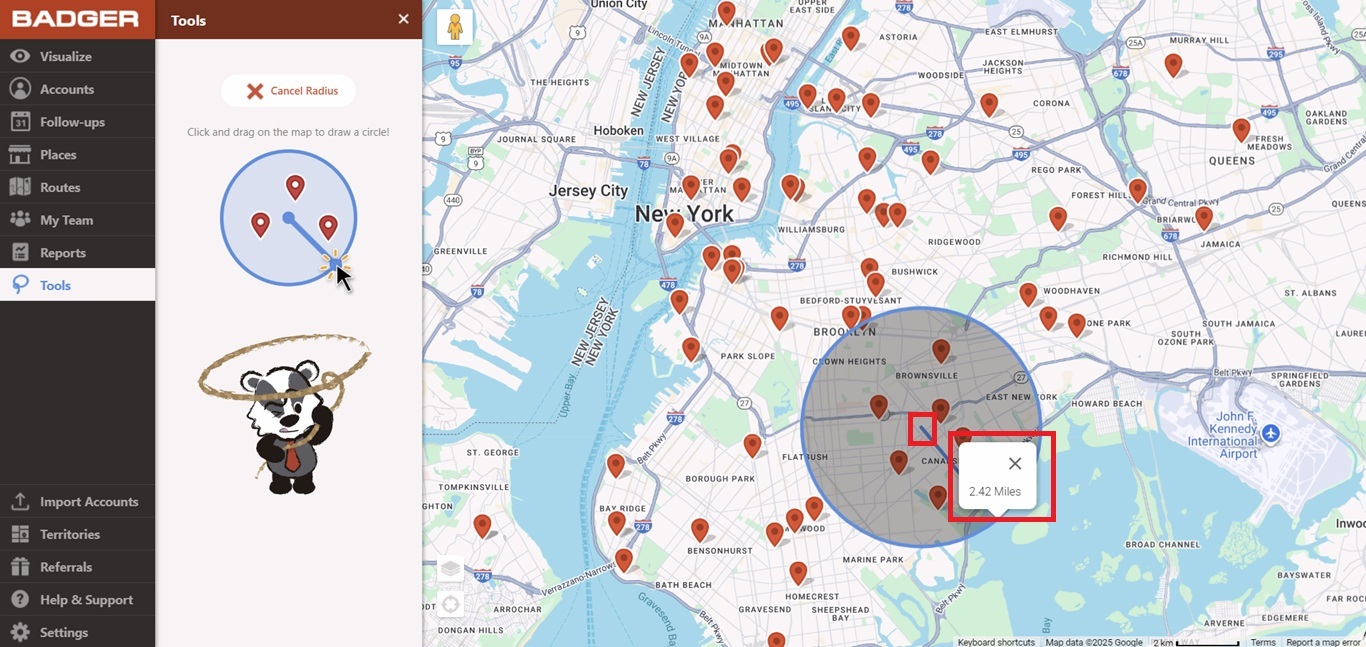
2. Click on the part of the map that you’d like to have as the center of your circle. Then, drag the mouse to start drawing. An indicator will be shown to tell you how long your radius is while you’re dragging the mouse.
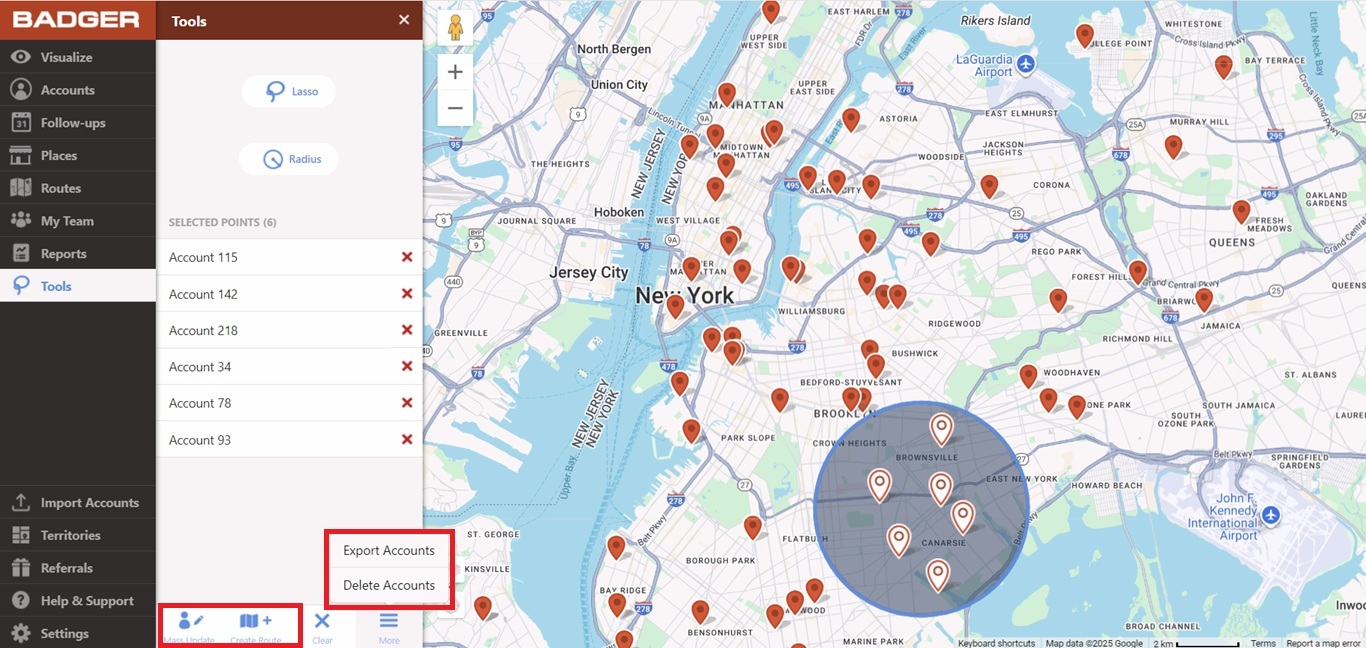
3. After drawing, a list of accounts within the circle will be shown on the left side. From this screen you can either Mass Update, Create Route, Export, or Delete the selected accounts.
Log in now and try this out yourself. Have a nice day!


