How to View Account Details (Web App)
There are 3 ways to view individual Account Details on Badger Maps.
Note: If you want to view multiple accounts under a certain detail or category, you can follow the steps here.
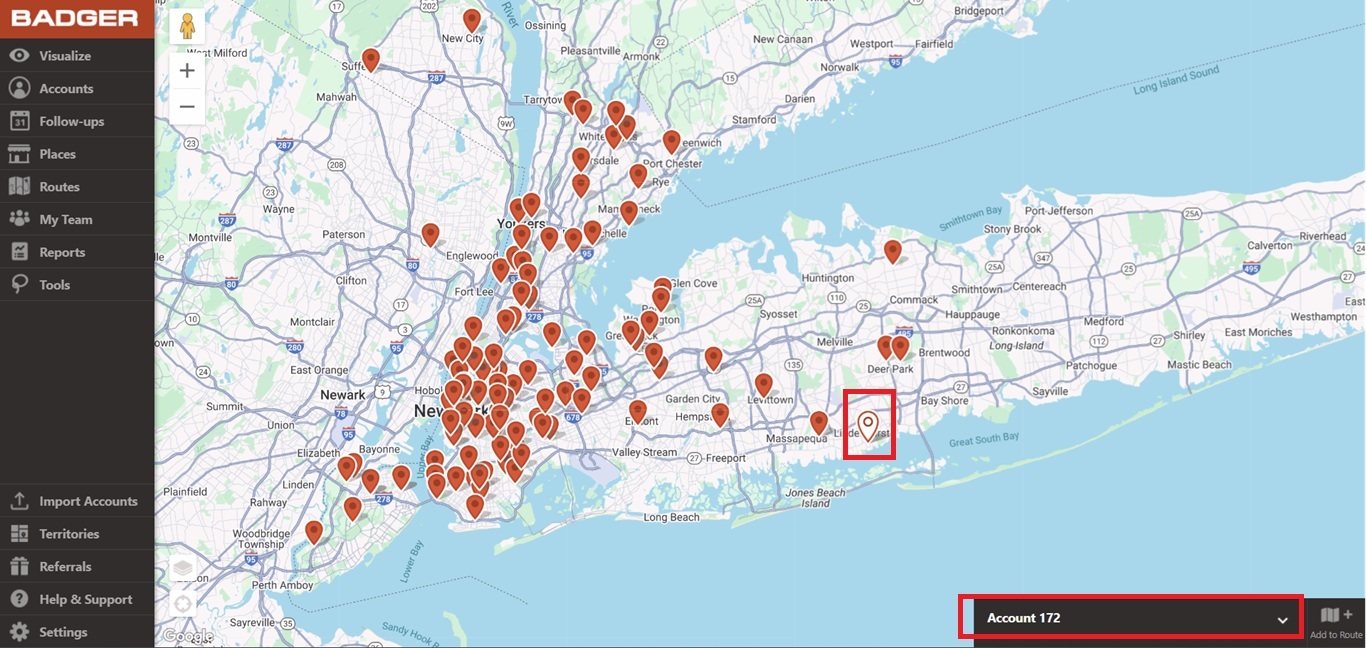
1. The quickest way to view account details is by clicking on any pin on the map and clicking on the box found at the bottom right corner of your screen.
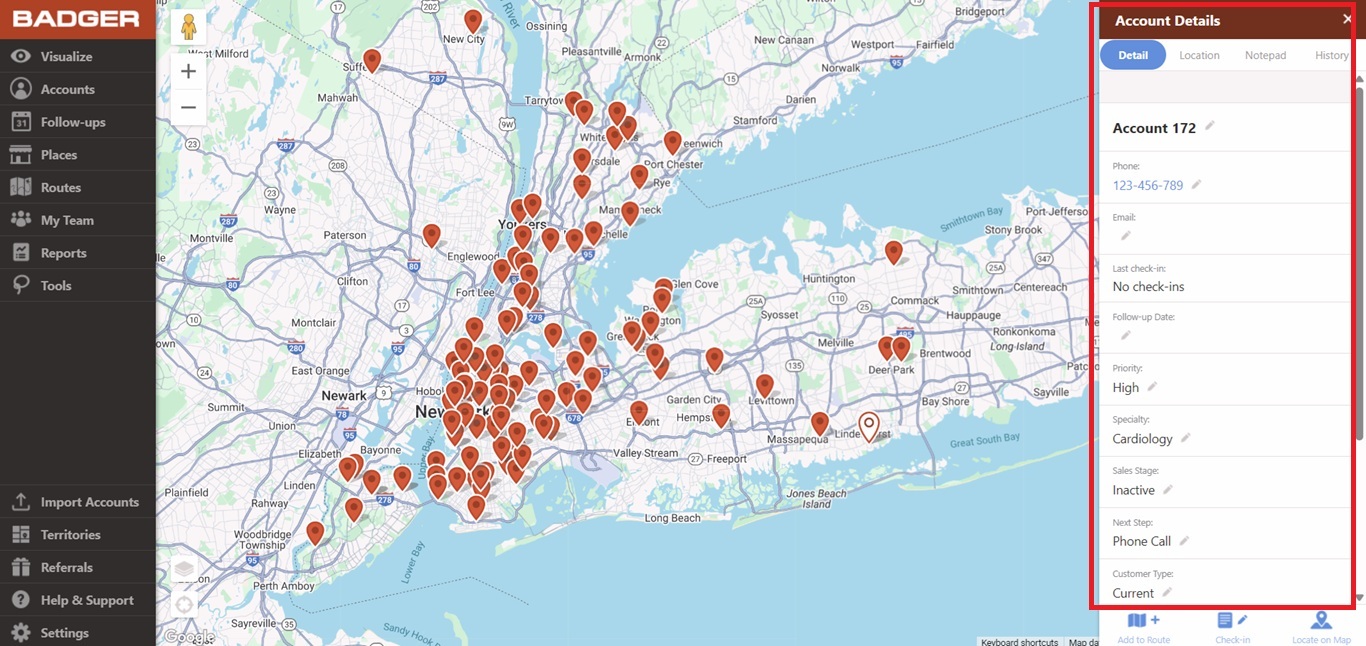
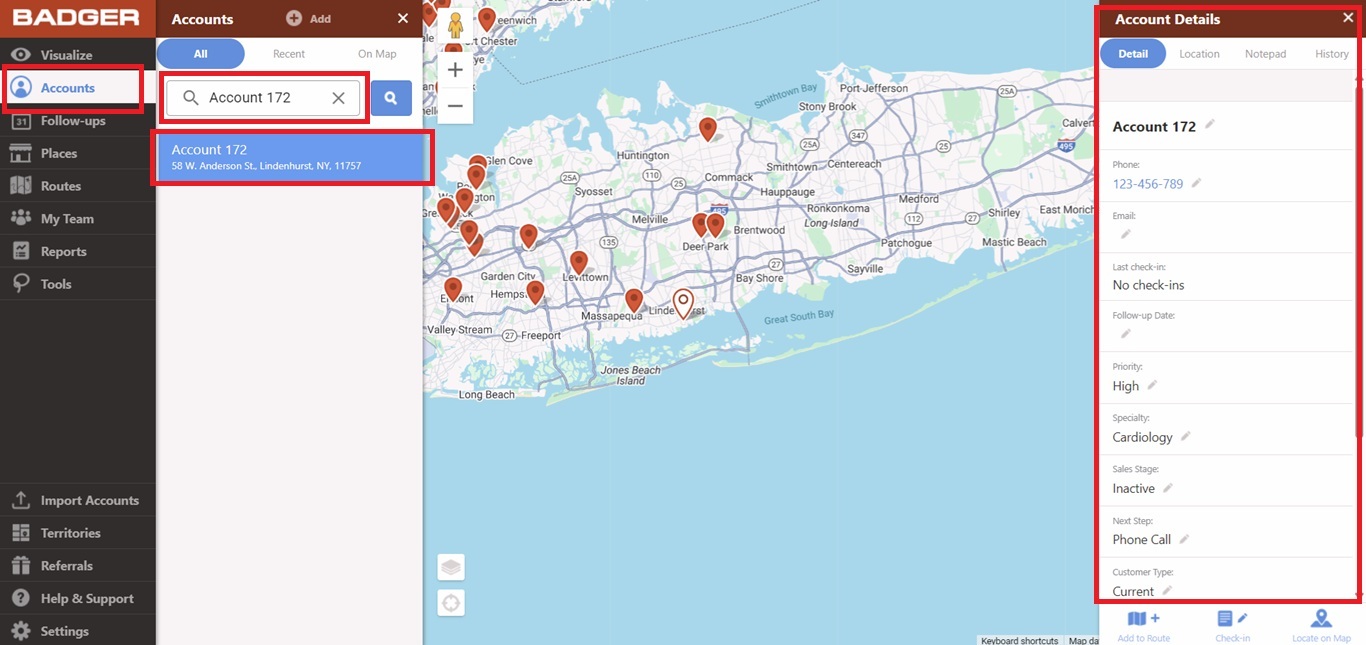
2. You can also view it when you go to the Accounts tab, then use the Search Accounts function, click on the record's name, and the Account Details tab will pop up on the right side.
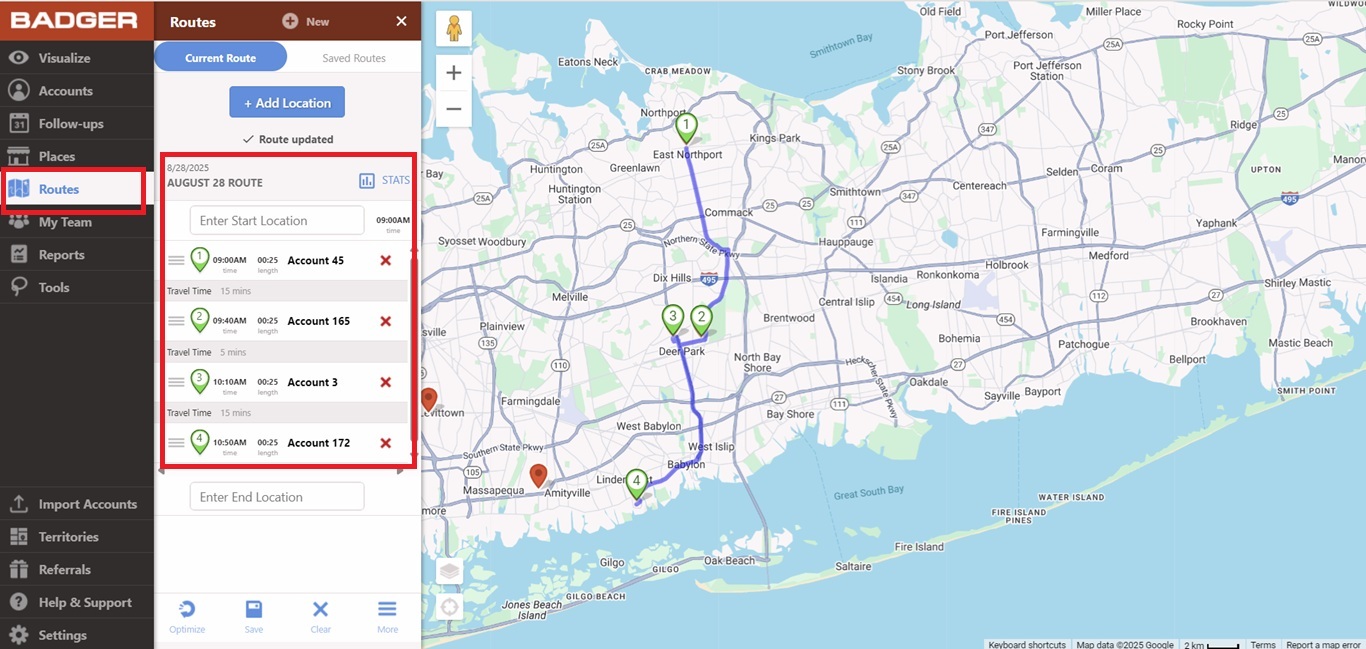
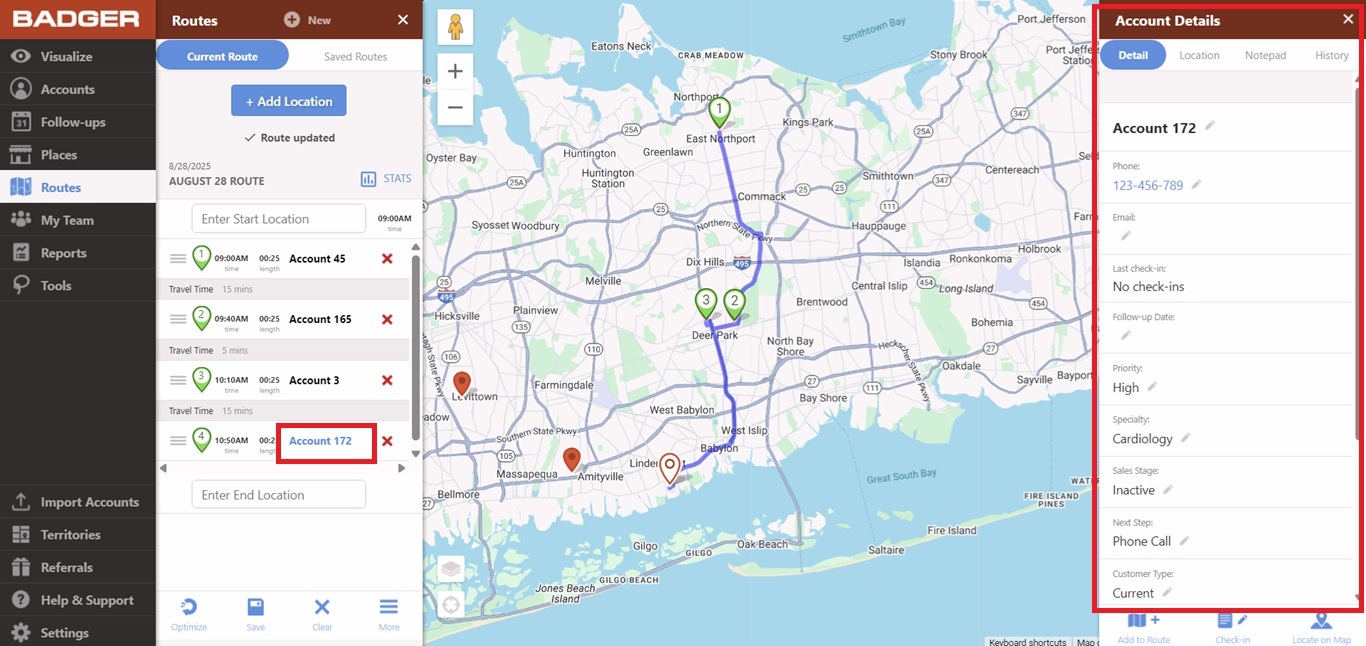
3. Another way to view it is while you’re on your current route. Just click on the stop/account that you want to view, and the Account Details tab will show up again on the right side.