How to Leave a Note Attached to an Account (iPad)
It’s quite easy to leave a note on a record even when you’re out in the field in Badger Maps. Here’s what you need to do if you’re an iPad user.
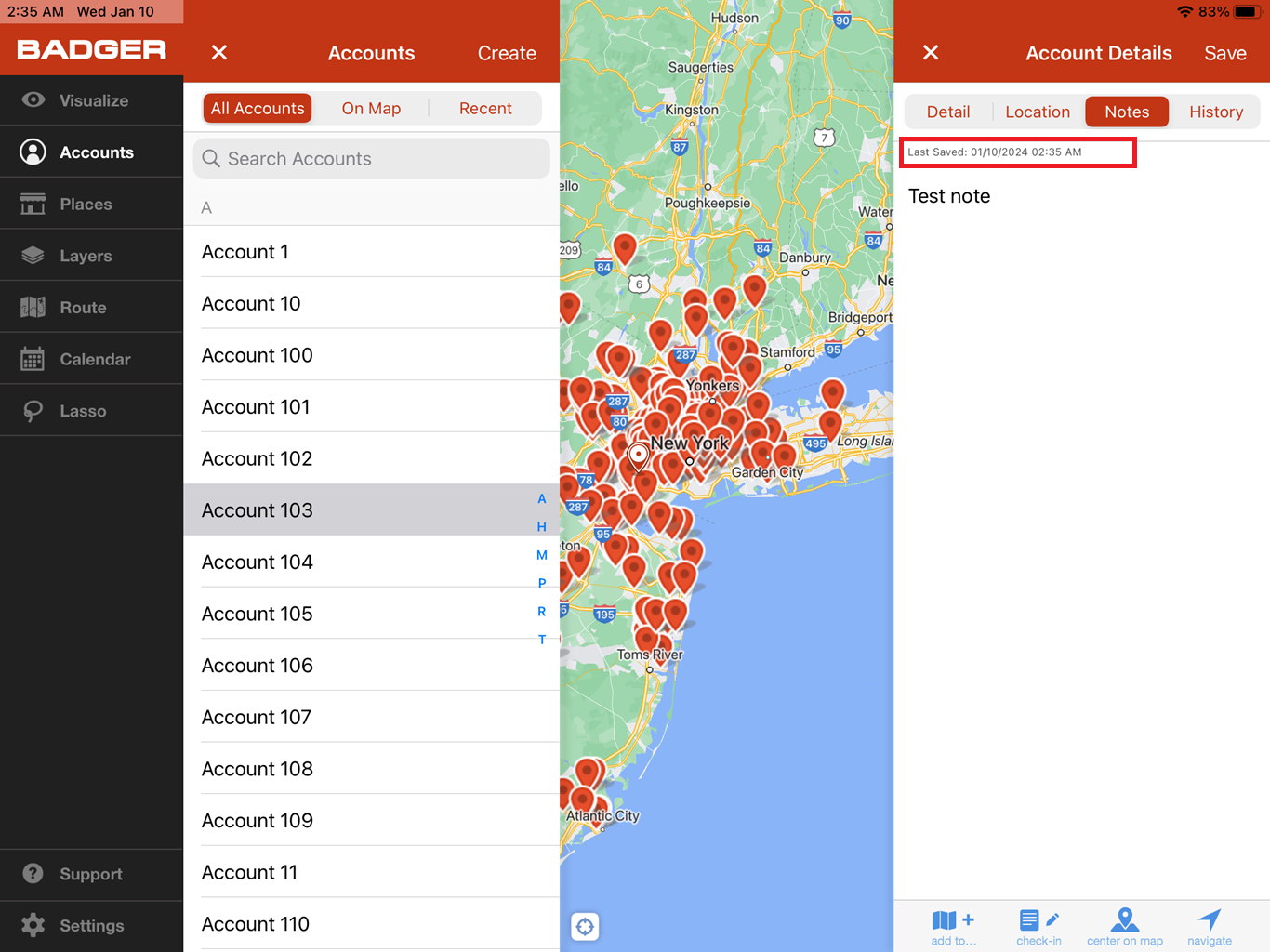
1. Go to Accounts, and tap on the record that you want to leave a note on to open up the Account Details page.


2. Then tap Notes, and tap the Enter Notes field.

3. Type in your note, and tap Save when you’re done.

4. Once saved, you’ll see a timestamp on top of the note you’ve written.