How to Reset Your Account (Web App)
So you get a new customer list or just want a fresh start. The easiest way to go about this is by resetting your account, and here are the things that you need to do to accomplish this.
1. Log in to your Badger Maps account on the web app, and go to Settings.

2. Then click Reset Your Account, and type Delete All Accounts on the pop-up box.


3. Click on the Delete All Accounts box, hit Confirm, and you should be good to go.
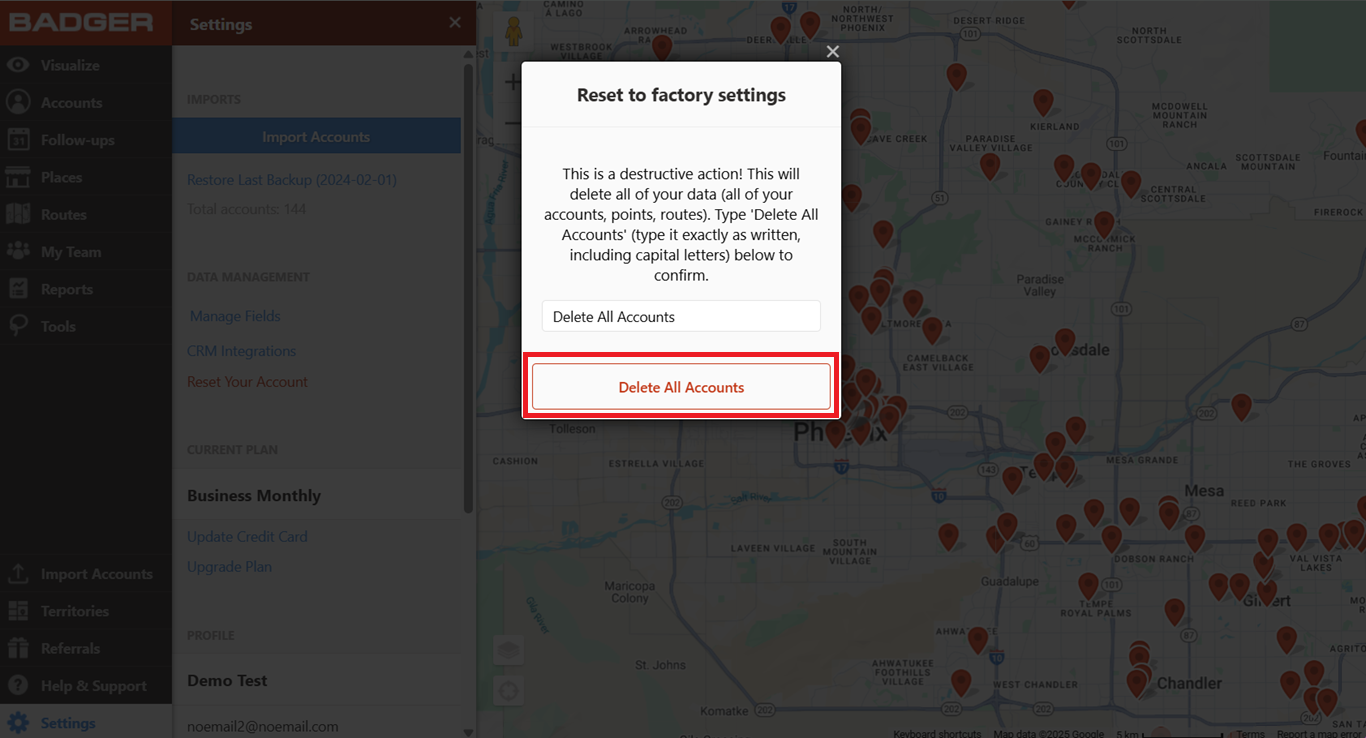

Note: This action also removes your previously saved routes, check-ins, and notes so always proceed with caution. Also, this function's availability varies depending on your team account's setup.
Click here if you want to learn how to import your new data set.
Check out this video to learn more on how you can manage your accounts:


